version
要降低 Anchor CLI 的版本,你可以通过以下步骤进行:
-
卸载当前版本:
cargo uninstall anchor-cli -
安装指定版本:
例如,安装 0.29.0 版本:
cargo install anchor-cli --version 0.29.0 -
验证安装:
确认安装的版本:
anchor --version
如果你需要其他版本,替换 0.29.0 为所需的版本号即可。
记录
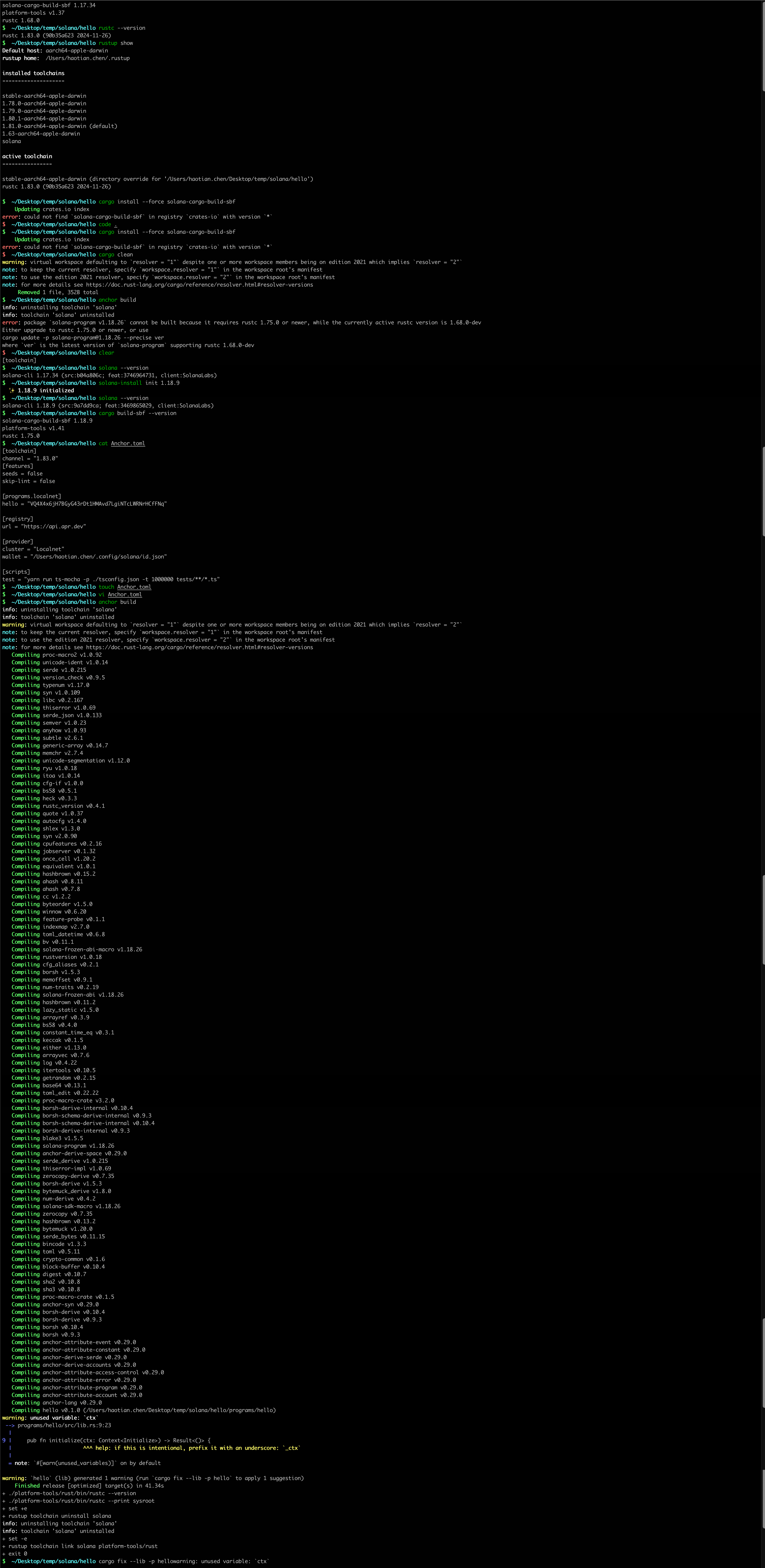
$  ~/Desktop/temp/solana/hello anchor build
error: package `solana-program v1.18.26` cannot be built because it requires rustc 1.75.0 or newer, while the currently active rustc version is 1.68.0-dev
Either upgrade to rustc 1.75.0 or newer, or use
cargo update -p solana-program@1.18.26 --precise ver
where `ver` is the latest version of `solana-program` supporting rustc 1.68.0-dev
$  ~/Desktop/temp/solana/hello cargo-build-sbf --version
solana-cargo-build-sbf 1.17.0
platform-tools v1.37
rustc 1.68.0
$  ~/Desktop/temp/solana/hello solana-install update
  ✨ Update successful to 1.17.34
$  ~/Desktop/temp/solana/hello cargo-build-sbf --version
solana-cargo-build-sbf 1.17.34
platform-tools v1.37
rustc 1.68.0
$  ~/Desktop/temp/solana/hello rustc --version
rustc 1.83.0 (90b35a623 2024-11-26)
$  ~/Desktop/temp/solana/hello rustup show
Default host: aarch64-apple-darwin
rustup home:  /Users/haotian.chen/.rustup

installed toolchains
--------------------

stable-aarch64-apple-darwin
1.78.0-aarch64-apple-darwin
1.79.0-aarch64-apple-darwin
1.80.1-aarch64-apple-darwin
1.81.0-aarch64-apple-darwin (default)
1.63-aarch64-apple-darwin
solana

active toolchain
----------------

stable-aarch64-apple-darwin (directory override for '/Users/haotian.chen/Desktop/temp/solana/hello')
rustc 1.83.0 (90b35a623 2024-11-26)
记录2
$  ~/Desktop/temp/solana/hello solana --version
solana-cli 1.17.34 (src:b04a806c; feat:3746964731, client:SolanaLabs)
$  ~/Desktop/temp/solana/hello solana-install init 1.18.9
  ✨ 1.18.9 initialized
$  ~/Desktop/temp/solana/hello solana --version
solana-cli 1.18.9 (src:9a7dd9ca; feat:3469865029, client:SolanaLabs)
$  ~/Desktop/temp/solana/hello cargo build-sbf --version
solana-cargo-build-sbf 1.18.9
platform-tools v1.41
rustc 1.75.0
$  ~/Desktop/temp/solana/hello
新项目部署的总是本地

修改
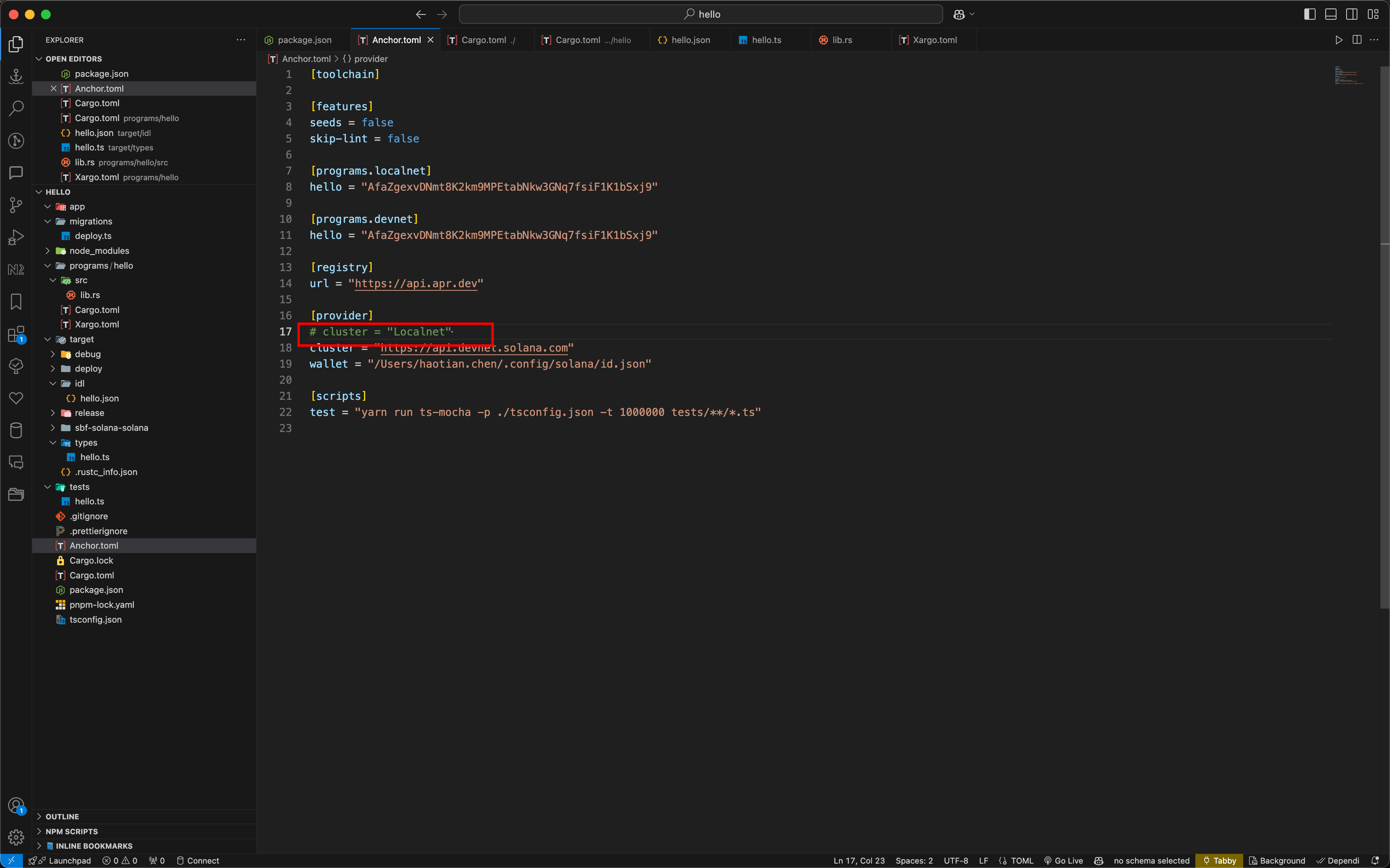
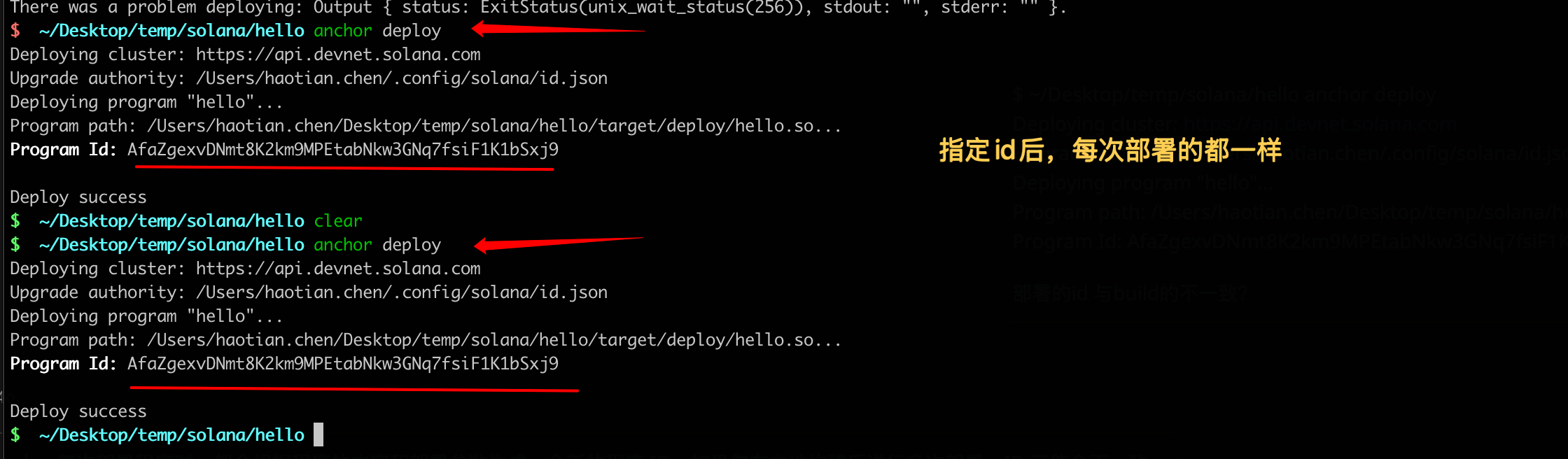
program id 不一致

在 Solana 上,每次部署程序时,都会根据程序的内容和部署参数生成一个新的程序 ID。如果你在本地构建后进行多次部署,ID 可能会不一致。
要确保程序 ID 一致,你可以在 Anchor.toml 中指定一个固定的程序 ID。例如:
[programs.devnet]
hello = "你的固定程序ID"
然后,确保在部署时使用这个配置:
anchor deploy --provider.cluster devnet
这样,Anchor 会使用你指定的程序 ID 进行部署。
anchor idl init -f
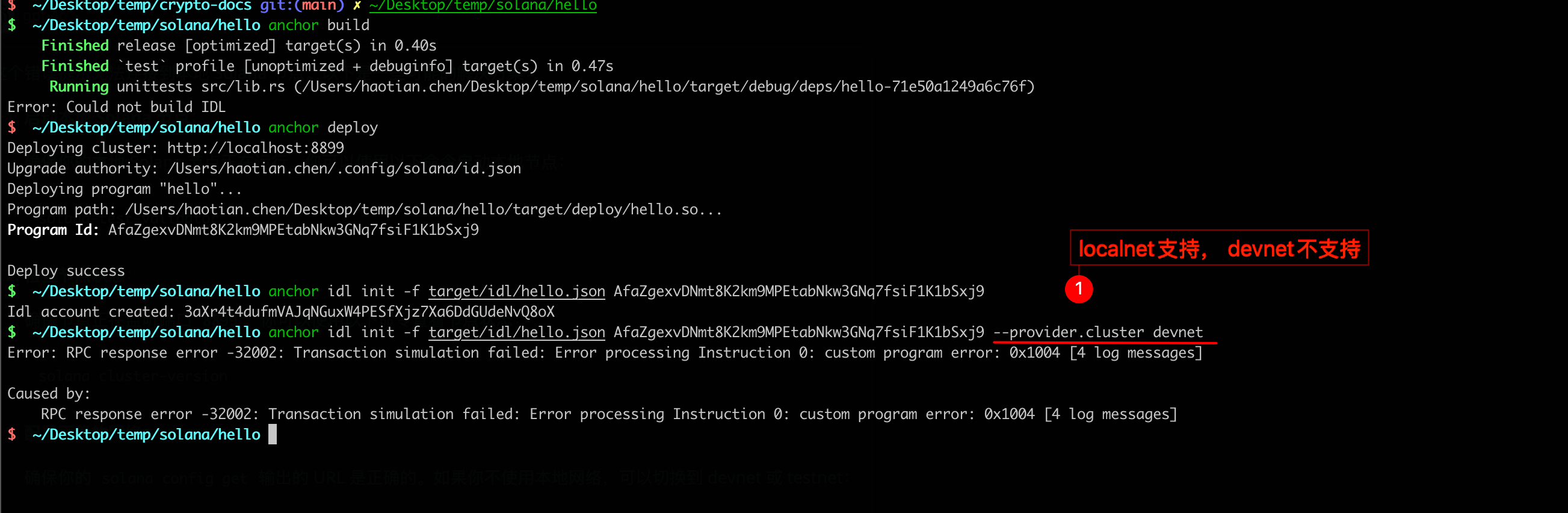
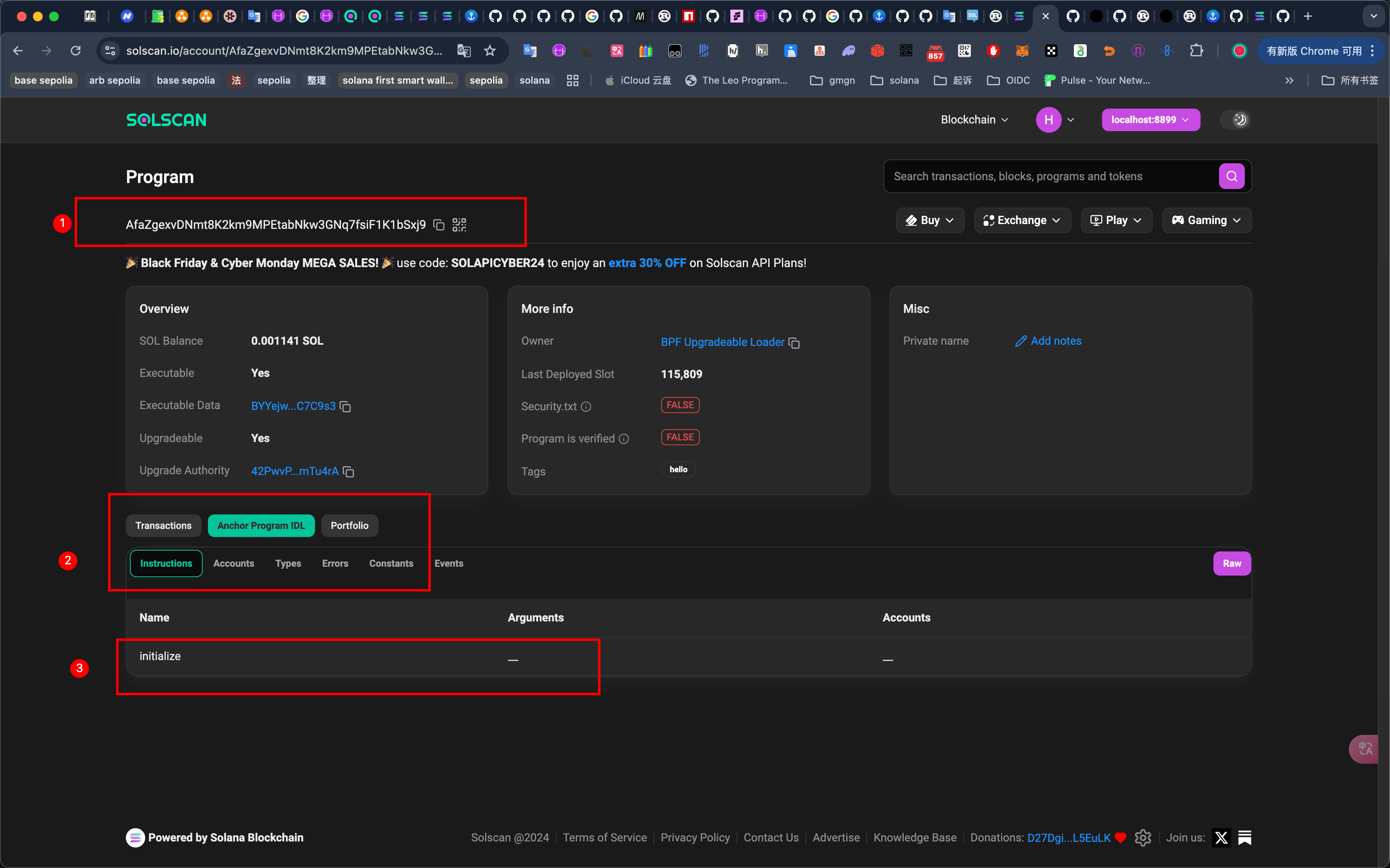
anchor idl fetch

anchor keys list
$  ~/Desktop/temp/solana/hello anchor keys list
hello: AfaZgexvDNmt8K2km9MPEtabNkw3GNq7fsiF1K1bSxj9
delpoy balance
$  ~ solana balance
500000000 SOL

$  ~/Desktop/temp/solana/hello anchor deploy
Deploying cluster: http://localhost:8899
Upgrade authority: /Users/haotian.chen/.config/solana/id.json
Deploying program "hello"...
Program path: /Users/haotian.chen/Desktop/temp/solana/hello/target/deploy/hello.so...
Program Id: AfaZgexvDNmt8K2km9MPEtabNkw3GNq7fsiF1K1bSxj9

Deploy success
$  ~/Desktop/temp/solana/hello solana balance
499999998.741322517 SOL


$  ~/Desktop/temp/solana/hello anchor deploy
Deploying cluster: http://localhost:8899
Upgrade authority: /Users/haotian.chen/.config/solana/id.json
Deploying program "hello"...
Program path: /Users/haotian.chen/Desktop/temp/solana/hello/target/deploy/hello.so...
Program Id: AfaZgexvDNmt8K2km9MPEtabNkw3GNq7fsiF1K1bSxj9

Deploy success
$  ~/Desktop/temp/solana/hello solana balance
499999998.740412533 SOL
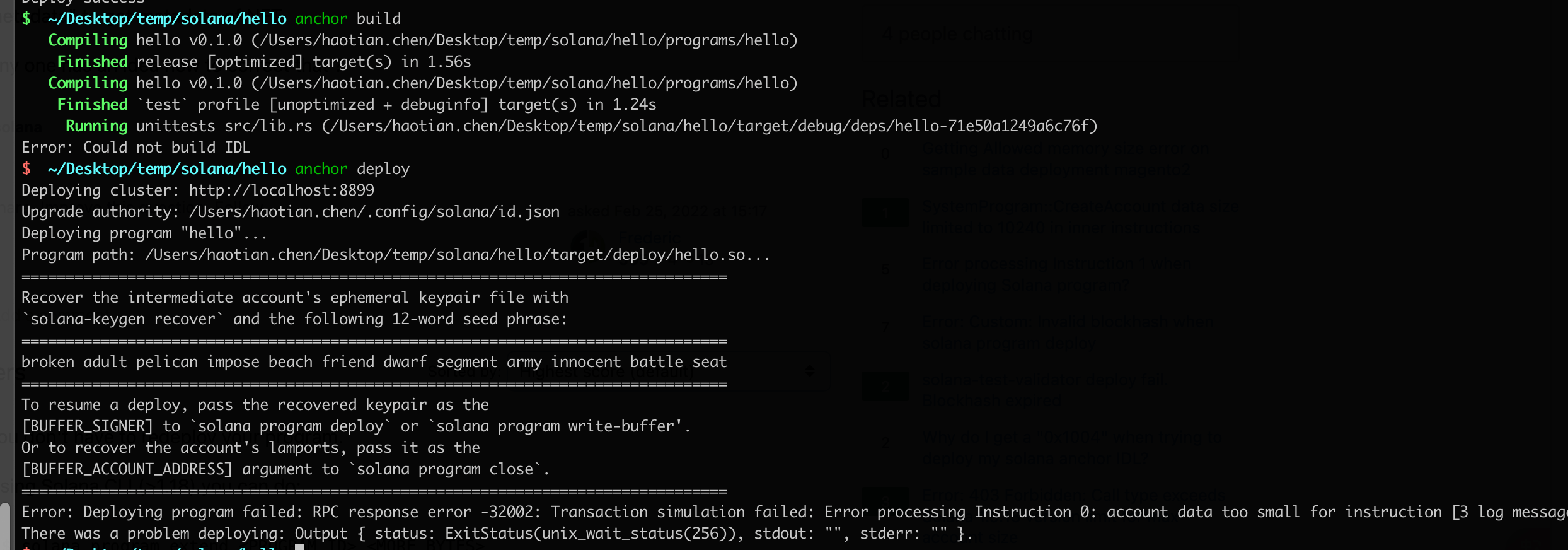
space to small
- 增加了一行日志,无法二次部署
- 第一次部署花费2.6 sol
- anchor deploy 一次,为什么有几十个交易?

$  ~/Desktop/temp/solana/hello anchor deploy
Deploying cluster: http://localhost:8899
Upgrade authority: /Users/haotian.chen/.config/solana/id.json
Deploying program "hello"...
Program path: /Users/haotian.chen/Desktop/temp/solana/hello/target/deploy/hello.so...
Program Id: F9cCiXLwxPd5MmbMLHLTSenZGaKRKUNkftobtGphTSrj

Deploy success
$  ~/Desktop/temp/solana/hello solana balance
499999993.706014693 SOL


devnet
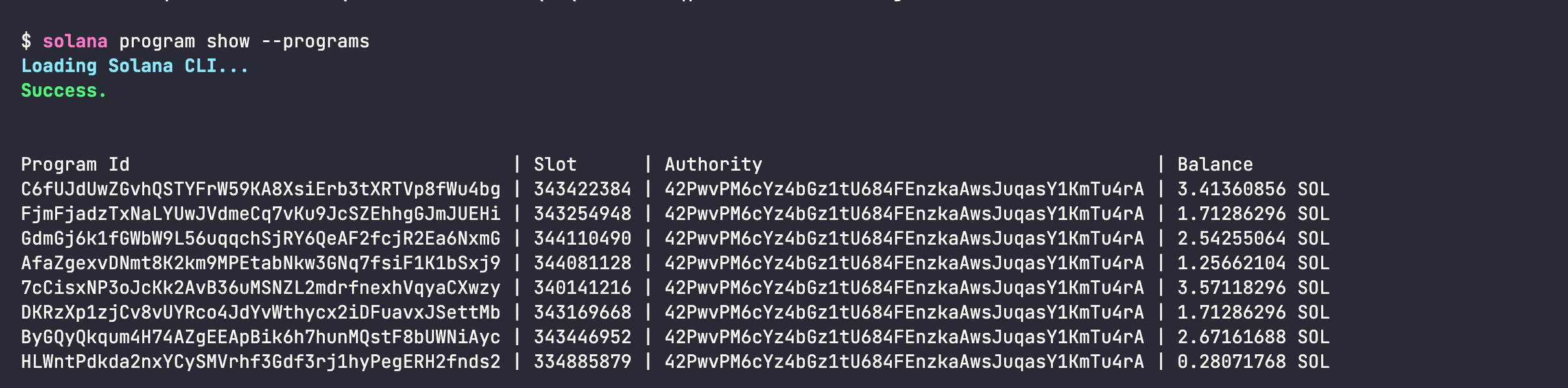
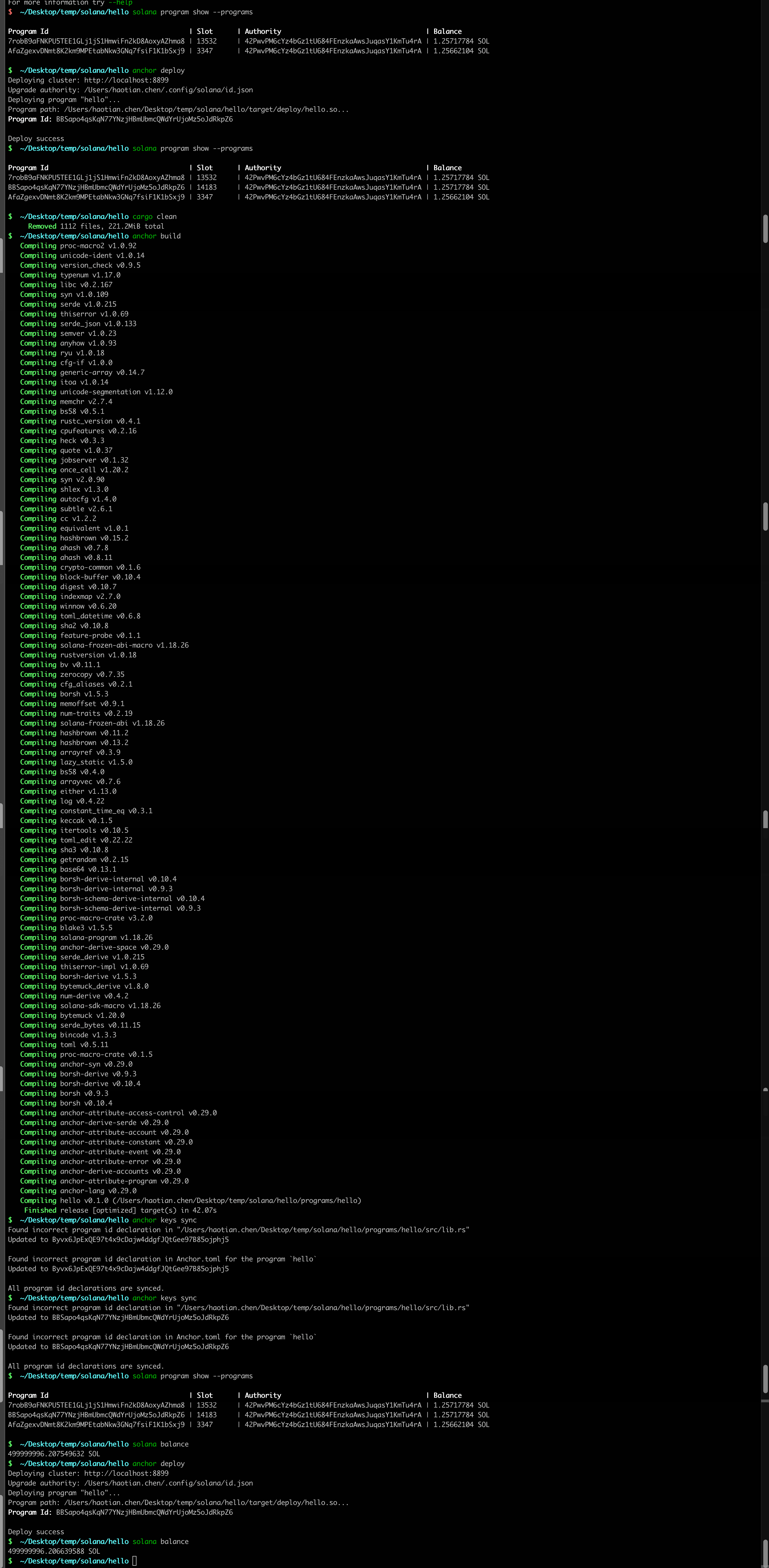
cargo clean && anchor build && anchor deploy id change
地址改变是因为 target/deploy/hello-keypair.json 被清理掉了?
是的,target/deploy/hello-keypair.json 文件包含了部署时的程序密钥对。如果这个文件被删除或清理,Solana 会在下次部署时生成一个新的程序 ID。这会导致你的程序 ID 与 Anchor.toml 中声明的不匹配,从而导致 DeclaredProgramIdMismatch 错误。
要解决这个问题,你可以:
-
备份程序密钥对:
- 确保
hello-keypair.json文件被安全保存,以便在重新部署时使用相同的程序 ID。
- 确保
-
更新配置:
- 如果你确实需要重新生成密钥对,确保在
Anchor.toml中更新新的程序 ID。
- 如果你确实需要重新生成密钥对,确保在
-
避免清理关键文件:
- 在使用
cargo clean或其他清理命令时,注意不要删除hello-keypair.json,或者在清理后手动恢复该文件。
- 在使用
这样可以确保你的程序 ID 在部署和测试过程中保持一致。
solved
备份 keypair.json , 下次 anchor build 完,将 备份的 keypair.json 恢复
操作记录
- solana program show --programs
- cargo clean
- anchor build
- anchor keys sync
- recovery keypair.json # 恢复
- anchor keys sync
- solana program show --programs
- solana balance # 通过账户余额前后变化,看看是升级还是新部署,新部署,要2.5sol
- anchor deploy
- solana balance