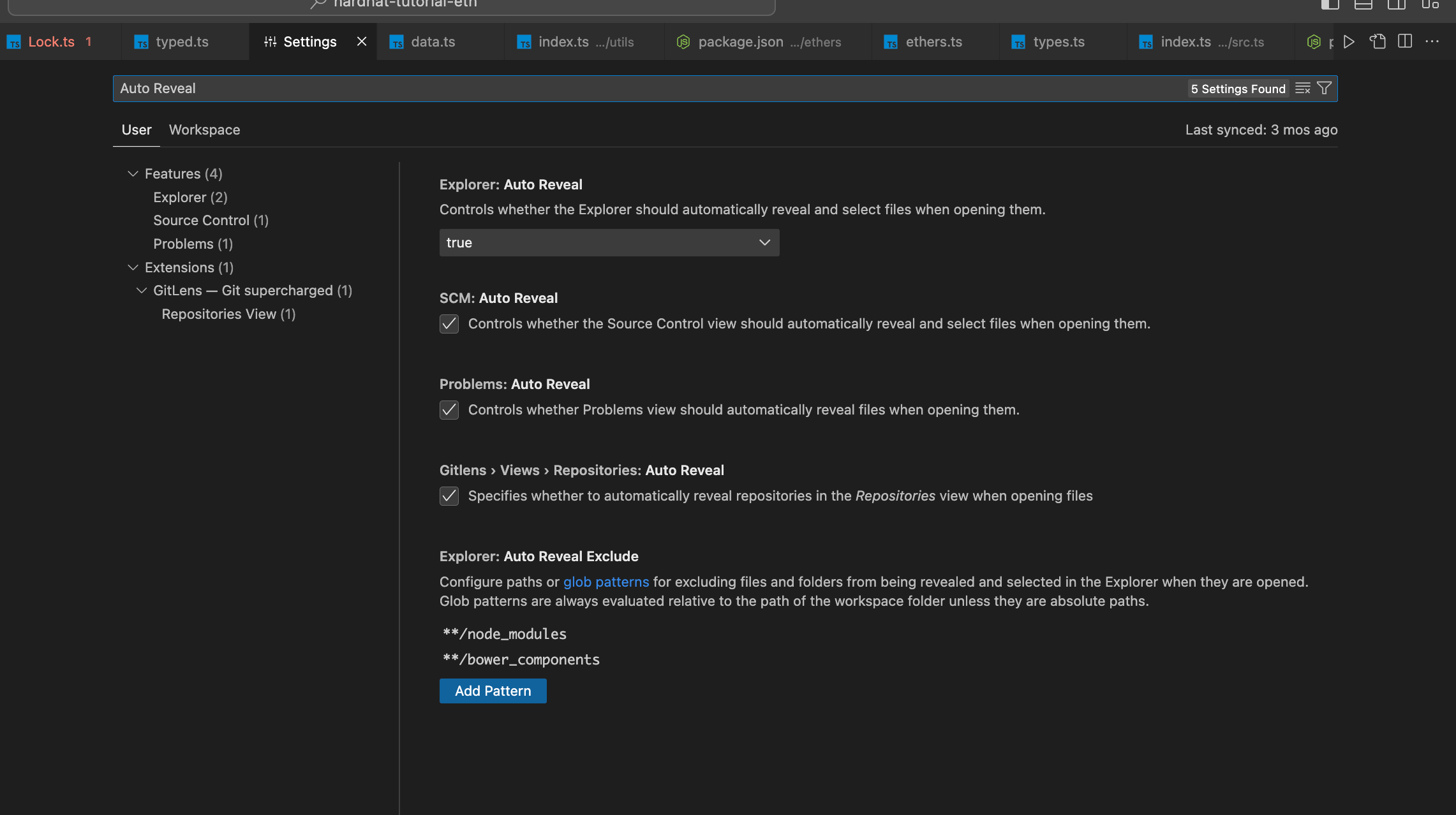
skip_node_moduleOn this pageskip_node_module问题 以解决:vscode 跳转 node_modules 下文件,没有切换左侧菜单目录的问题 解决 打开VSCode的setting配置, 搜索Auto Reveal Exclude,可以看到自动打开文件/目录的排除配置, 把**/node_modules那一项去掉就可以了。 参考链接 https://juejin.cn/post/7211693149822730298