Go doc Example
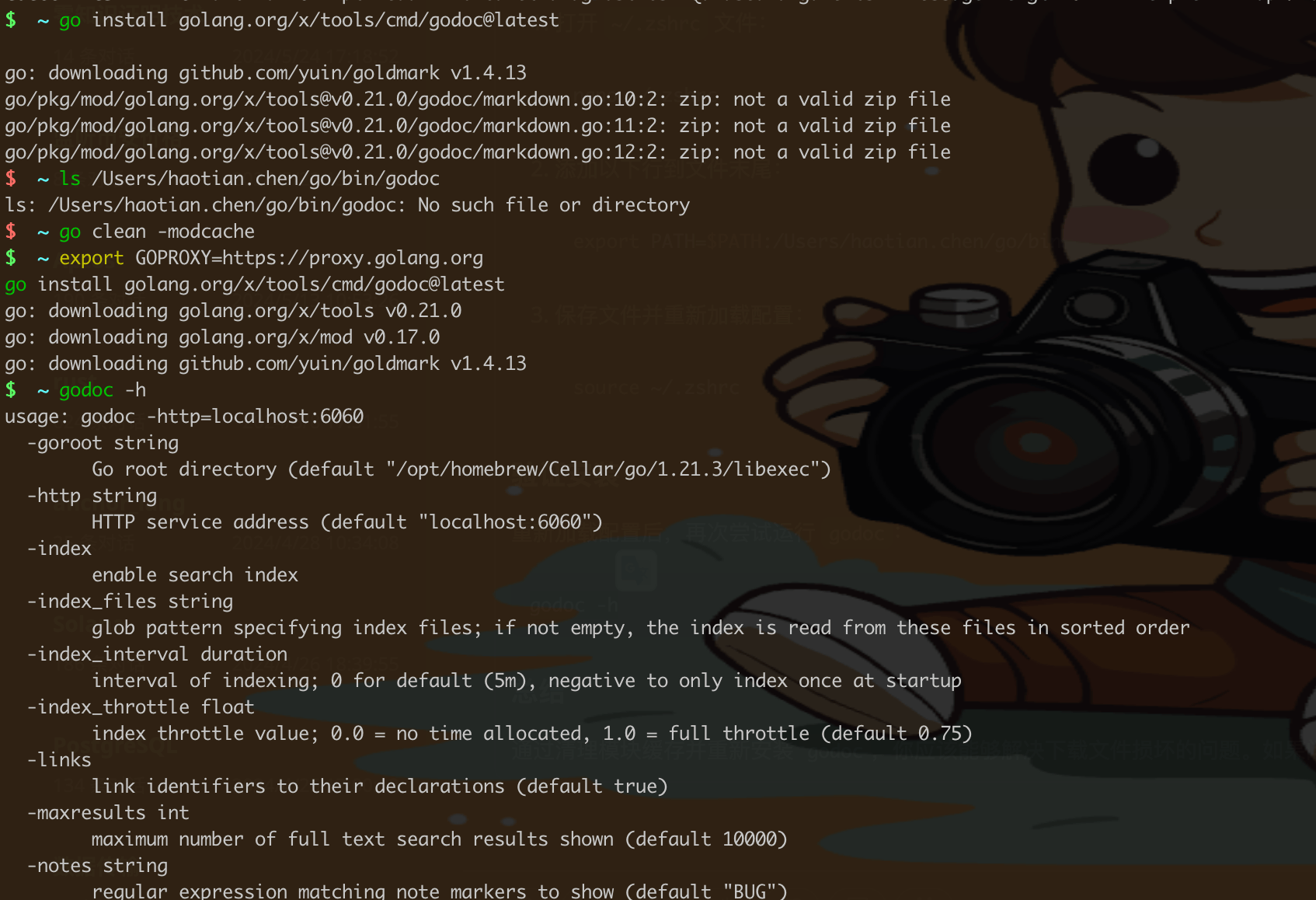
godoc 安装
Example 函数
接下来,我们为这些函数编写 Example 函数。这些函数的名字必须以 Example 开头,并且可以选择性地添加函数名和参数名,以便于区分。
package example

import (
    "fmt"
)

// ExampleAdd demonstrates how to use the Add function.
func ExampleAdd() {
    result := Add(1, 2)
    fmt.Println(result)
    // Output: 3
}

// ExampleSubtract demonstrates how to use the Subtract function.
func ExampleSubtract() {
    result := Subtract(5, 3)
    fmt.Println(result)
    // Output: 2
}

// ExampleMultiply demonstrates how to use the Multiply function.
func ExampleMultiply() {
    result := Multiply(2, 3)
    fmt.Println(result)
    // Output: 6
}

// ExampleConcatenate demonstrates how to use the Concatenate function.
func ExampleConcatenate() {
    result := Concatenate("Hello, ", "World!")
    fmt.Println(result)
    // Output: Hello, World!
}
运行 Example 测试
你可以使用 go test 命令来运行这些 Example 测试:
go test -v
Example 函数会输出示例代码的结果,并与注释中的 // Output: 行进行比较。如果输出匹配,测试通过;否则,测试失败。
生成文档
你可以使用 godoc 工具来生成文档,并查看这些 Example 函数。首先,确保你已经安装了 godoc 工具:
go install golang.org/x/tools/cmd/godoc@latest
然后,你可以启动本地文档服务器:
godoc -http=:6060
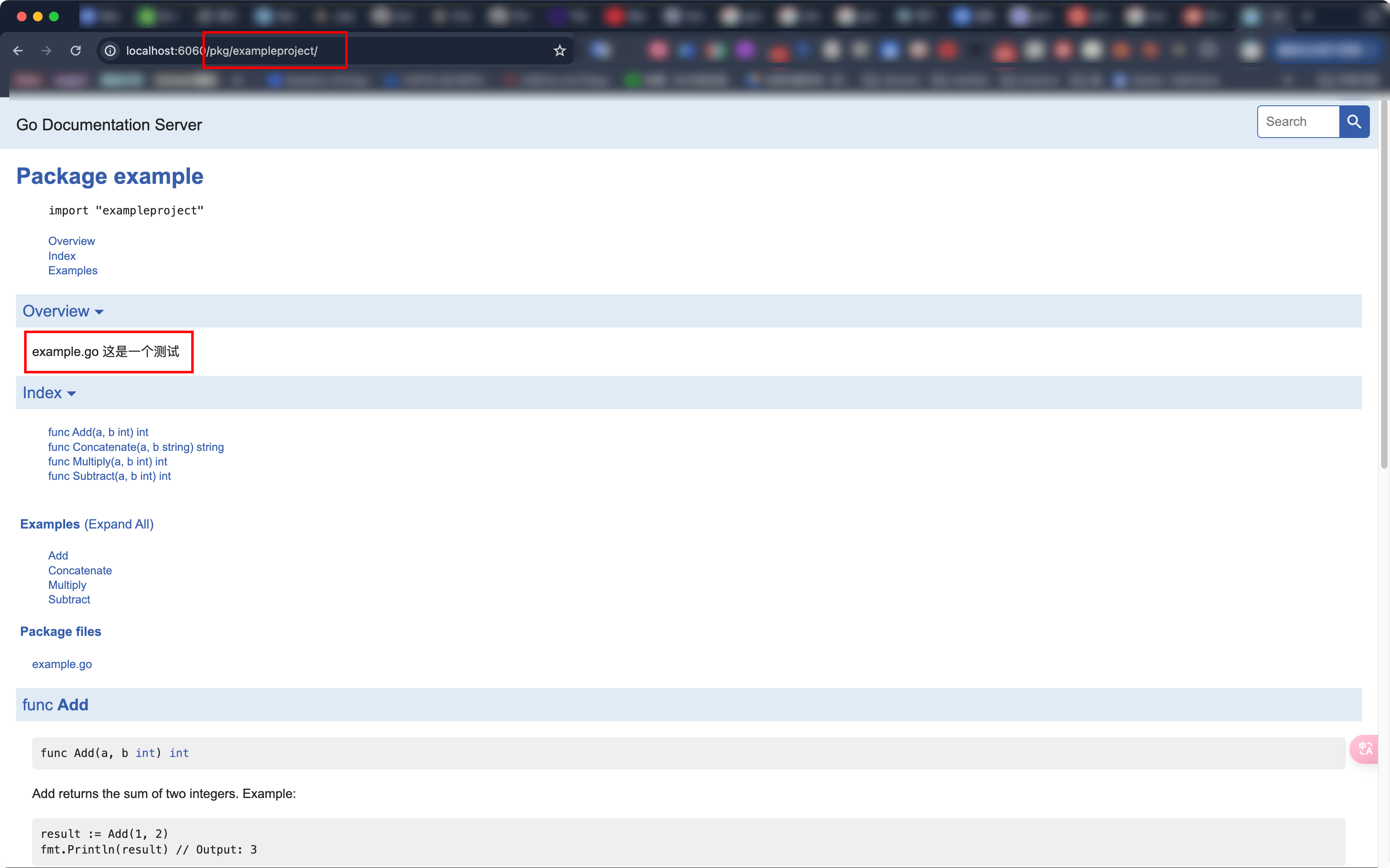
打开浏览器并访问 http://localhost:6060,导航到你的包,你会看到 Example 函数出现在文档中,作为如何使用这些函数的示例。
总结
通过编写 Example 函数,你不仅可以为你的代码提供测试,还可以生成有用的文档示例。这些示例会自动出现在生成的文档中,并且可以通过 go test 进行验证,以确保它们是正确的和最新的。如果你有任何其他问题或需要进一步的解释,请随时提问。
example
在 Go 语言中,文档注释是非常重要的部分。它们不仅帮助开发者理解代码,还可以通过工具生成漂亮的文档。以下是如何为示例函数添加文档注释,以及如何生成和查看这些文档的步骤。
示例函数和文档注释
我们继续使用之前定义的函数,并为它们添加文档注释:
// example.go
// 这是一个测试
package example

// Add returns the sum of two integers.
// Example:
//
//	result := Add(1, 2)
//	fmt.Println(result) // Output: 3
func Add(a, b int) int {
	return a + b
}

// Subtract returns the difference of two integers.
// Example:
//
//	result := Subtract(5, 3)
//	fmt.Println(result) // Output: 2
func Subtract(a, b int) int {
	return a - b
}

// Multiply returns the product of two integers.
// Example:
//
//	result := Multiply(2, 3)
//	fmt.Println(result) // Output: 6
func Multiply(a, b int) int {
	return a * b
}

// Concatenate returns the concatenation of two strings.
// Example:
//
//	result := Concatenate("Hello, ", "World!")
//	fmt.Println(result) // Output: Hello, World!
func Concatenate(a, b string) string {
	return a + b
}
Example 函数
接下来,我们为这些函数编写 Example 函数:
package example

import (
    "fmt"
)

// ExampleAdd demonstrates how to use the Add function.
func ExampleAdd() {
    result := Add(1, 2)
    fmt.Println(result)
    // Output: 3
}

// ExampleSubtract demonstrates how to use the Subtract function.
func ExampleSubtract() {
    result := Subtract(5, 3)
    fmt.Println(result)
    // Output: 2
}

// ExampleMultiply demonstrates how to use the Multiply function.
func ExampleMultiply() {
    result := Multiply(2, 3)
    fmt.Println(result)
    // Output: 6
}

// ExampleConcatenate demonstrates how to use the Concatenate function.
func ExampleConcatenate() {
    result := Concatenate("Hello, ", "World!")
    fmt.Println(result)
    // Output: Hello, World!
}
生成和查看文档
-
安装
godoc工具:如果你还没有安装
godoc工具,你可以使用以下命令安装:go install golang.org/x/tools/cmd/godoc@latest -
启动本地文档服务器:
使用以下命令启动本地文档服务器:
godoc -http=:6060 -
查看文档:
打开浏览器并访问
http://localhost:6060。导航到你的包,你会看到所有的函数以及它们的文档注释和Example函数。例如,访问
http://localhost:6060/pkg/yourmodule/example/,你会看到类似以下内容:PACKAGE DOCUMENTATION
package example
Add returns the sum of two integers.
Example:
result := Add(1, 2)
fmt.Println(result) // Output: 3
func Add(a, b int) int
Subtract returns the difference of two integers.
Example:
result := Subtract(5, 3)
fmt.Println(result) // Output: 2
func Subtract(a, b int) int
Multiply returns the product of two integers.
Example:
result := Multiply(2, 3)
fmt.Println(result) // Output: 6
func Multiply(a, b int) int
Concatenate returns the concatenation of two strings.
Example:
result := Concatenate("Hello, ", "World!")
fmt.Println(result) // Output: Hello, World!
func Concatenate(a, b string) string
总结
通过添加文档注释和 Example 函数,你可以生成详细且有用的文档。这些文档不仅帮助开发者理解代码,还可以通过工具自动生成和查看。如果你有任何其他问题或需要进一步的解释,请随时提问。
执行