Passkeys Chrome 插件
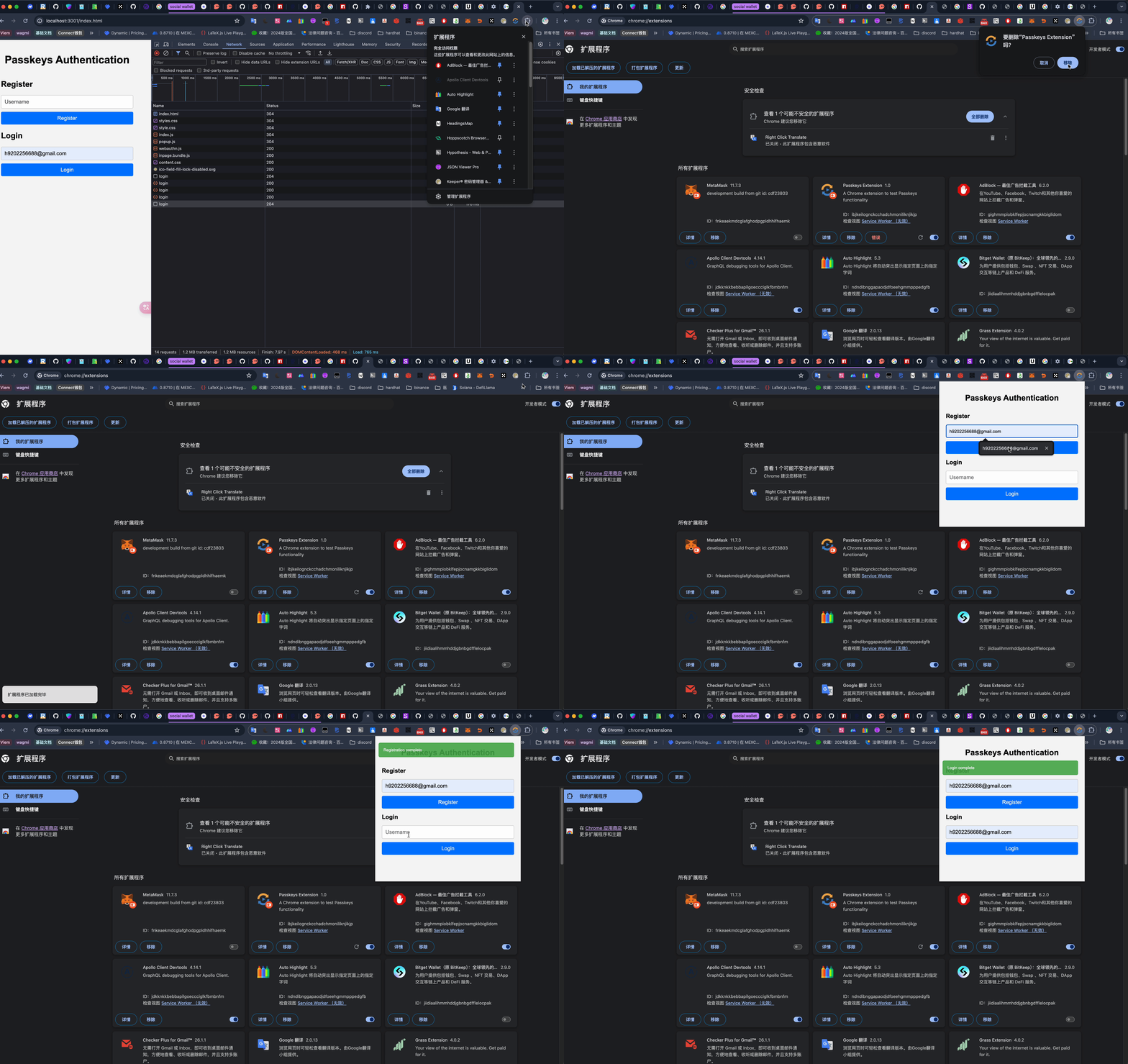
演示
目录
.
├── passkeys-extension
│   ├── background.js
│   ├── icons
│   │   ├── icon128.png
│   │   ├── icon16.png
│   │   └── icon48.png
│   ├── manifest.json
│   ├── notification
│   │   ├── index.js
│   │   └── style.css
│   ├── popup.html
│   ├── popup.js
│   └── styles.css
└── passkeys-extension-server
    ├── package-lock.json
    ├── package.json
    ├── public
    │   ├── index.html
    │   ├── notification
    │   │   ├── index.js
    │   │   └── style.css
    │   ├── popup.js
    │   └── styles.css
    └── server.js
icons


popup.html
popup.html
<!DOCTYPE html>
<html lang="en">
  <head>
    <meta charset="UTF-8" />
    <meta name="viewport" content="width=device-width, initial-scale=1.0" />
    <title>Passkeys Authentication</title>
    <link rel="stylesheet" href="styles.css" />
    <link rel="stylesheet" type="text/css" href="notification/style.css" />
  </head>

  <body>
    <h1>Passkeys Authentication</h1>
    <div>
      <h2>Register</h2>
      <input type="text" id="register-username" placeholder="Username" />
      <button id="register-btn">Register</button>
    </div>
    <div>
      <h2>Login</h2>
      <input type="text" id="login-username" placeholder="Username" />
      <button id="login-btn">Login</button>
    </div>
    <script src="notification/index.js"></script>

    <script src="popup.js"></script>
  </body>
</html>
popup.js
popup.js
document.addEventListener('DOMContentLoaded', () => {
  if (window.PublicKeyCredential) {
    console.log('WebAuthn is supported in this browser.');
  } else {
    console.log('WebAuthn is not supported in this browser.');
  }

  document.getElementById('register-btn').addEventListener('click', register);
  document.getElementById('login-btn').addEventListener('click', login);
});
const server = 'https://484a-103-104-168-149.ngrok-free.app';
function base64UrlToBase64(base64Url) {
  return base64Url
    .replace(/-/g, '+')
    .replace(/_/g, '/')
    .padEnd(base64Url.length + ((4 - (base64Url.length % 4)) % 4), '=');
}

function base64ToArrayBuffer(base64) {
  const binaryString = window.atob(base64);
  const bytes = new Uint8Array(binaryString.length);
  for (let i = 0; i < binaryString.length; i++) {
    bytes[i] = binaryString.charCodeAt(i);
  }
  return bytes;
}

async function register() {
  const username = document.getElementById('register-username').value;

  if (!username) {
    notificationSystem.error('Username is required');
    return;
  }

  const registerResponse = await fetch(server + '/register', {
    method: 'POST',
    headers: {
      'Content-Type': 'application/json',
    },
    body: JSON.stringify({ username }),
  });

  const options = await registerResponse.json();

  // 检查并处理Base64URL字符串
  try {
    options.challenge = base64ToArrayBuffer(base64UrlToBase64(options.challenge));
    options.user.id = base64ToArrayBuffer(base64UrlToBase64(options.user.id));
  } catch (e) {
    console.error('Failed to decode Base64URL string:', e);
    notificationSystem.error('Failed to decode Base64URL string');
    return;
  }
  try {
    const credential = await navigator.credentials.create({ publicKey: options });
    console.log('credential', credential);
    const response = {
      id: credential.id,
      rawId: Array.from(new Uint8Array(credential.rawId)),
      response: {
        clientDataJSON: Array.from(new Uint8Array(credential.response.clientDataJSON)),
        attestationObject: Array.from(new Uint8Array(credential.response.attestationObject)),
      },
      type: credential.type,
    };

    await fetch(server + '/register/complete', {
      method: 'POST',
      headers: {
        'Content-Type': 'application/json',
      },
      body: JSON.stringify({ username, ...response }),
    });

    notificationSystem.success('Registration complete');
  } catch (error) {
    notificationSystem.error('error', error);
  }
}

async function login() {
  const username = document.getElementById('login-username').value;

  if (!username) {
    alert('Username is required');
    return;
  }

  const loginResponse = await fetch(server + '/login', {
    method: 'POST',
    headers: {
      'Content-Type': 'application/json',
    },
    body: JSON.stringify({ username }),
  });

  const options = await loginResponse.json();

  // 检查并处理Base64URL字符串
  try {
    options.challenge = base64ToArrayBuffer(base64UrlToBase64(options.challenge));
    options.allowCredentials = options.allowCredentials.map((cred) => {
      cred.id = base64ToArrayBuffer(base64UrlToBase64(cred.id));
      return cred;
    });
  } catch (e) {
    console.error('Failed to decode Base64URL string:', e);
    notificationSystem.error('Failed to decode Base64URL string');
    return;
  }

  const assertion = await navigator.credentials.get({ publicKey: options });

  const response = {
    id: assertion.id,
    rawId: Array.from(new Uint8Array(assertion.rawId)),
    response: {
      clientDataJSON: Array.from(new Uint8Array(assertion.response.clientDataJSON)),
      authenticatorData: Array.from(new Uint8Array(assertion.response.authenticatorData)),
      signature: Array.from(new Uint8Array(assertion.response.signature)),
      userHandle: assertion.response.userHandle ? Array.from(new Uint8Array(assertion.response.userHandle)) : null,
    },
    type: assertion.type,
  };

  await fetch(server + '/authenticate', {
    method: 'POST',
    headers: {
      'Content-Type': 'application/json',
    },
    body: JSON.stringify({ username, ...response }),
  });

  notificationSystem.success('Login complete');
}
manifest.json
manifest.json
{
  "manifest_version": 3,
  "name": "Passkeys Extension",
  "version": "1.0",
  "description": "A Chrome extension to test Passkeys functionality",
  "permissions": ["identity", "identity.email", "storage", "activeTab", "tabs"],
  "background": {
    "service_worker": "background.js"
  },
  "action": {
    "default_popup": "popup.html",
    "default_icon": {
      "16": "icons/icon16.png",
      "48": "icons/icon48.png",
      "128": "icons/icon128.png"
    }
  },
  "icons": {
    "16": "icons/icon16.png",
    "48": "icons/icon48.png",
    "128": "icons/icon128.png"
  }
}
background.js
background.js
chrome.runtime.onInstalled.addListener(() => {
  console.log('Passkeys Extension installed');
});
notification
notification/index.js
notification/index.js
(function (window) {
  function NotificationSystem() {
    this.container = document.createElement('div');
    this.container.id = 'notification-container';
    document.body.appendChild(this.container);
  }

  NotificationSystem.prototype.show = function (message, title, type, options) {
    var notification = document.createElement('div');
    notification.className = 'notification ' + type;

    if (title) {
      var titleElement = document.createElement('strong');
      titleElement.innerText = title;
      notification.appendChild(titleElement);
    }

    var messageElement = document.createElement('div');
    messageElement.innerText = message;
    notification.appendChild(messageElement);

    this.container.appendChild(notification);

    var timeout = (options && options.timeout) || 5000;

    setTimeout(
      function () {
        notification.style.opacity = '0';
        setTimeout(
          function () {
            this.container.removeChild(notification);
          }.bind(this),
          3000
        );
      }.bind(this),
      timeout
    );
  };

  NotificationSystem.prototype.success = function (message, title, options) {
    this.show(message, title, 'success', options);
  };

  NotificationSystem.prototype.error = function (message, title, options) {
    this.show(message, title, 'error', options);
  };

  NotificationSystem.prototype.info = function (message, title, options) {
    this.show(message, title, 'info', options);
  };

  NotificationSystem.prototype.warning = function (message, title, options) {
    this.show(message, title, 'warning', options);
  };

  window.notificationSystem = new NotificationSystem();
})(window);
notification/style.css
notification/style.css
#notification-container {
  position: fixed;
  top: 10px;
  right: 10px;
  z-index: 1000;
  width: calc(100% - 10px);
}

.notification {
  padding: 15px;
  margin: 10px;
  border-radius: 5px;
  color: white;
  opacity: 0.9;
  transition: opacity 0.5s ease;
}

.notification.success {
  background-color: #4caf50;
}
.notification.error {
  background-color: #f44336;
}
.notification.info {
  background-color: #2196f3;
}
.notification.warning {
  background-color: #ff9800;
}
server
package.json
{
  "name": "passkeys-chrome-plugin",
  "version": "1.0.0",
  "description": "",
  "main": "index.js",
  "scripts": {
    "test": "echo \"Error: no test specified\" && exit 1"
  },
  "keywords": [],
  "author": "",
  "license": "ISC",
  "dependencies": {
    "@simplewebauthn/server": "^10.0.0",
    "base64url": "^3.0.1",
    "body-parser": "^1.20.2",
    "cors": "^2.8.5",
    "crypto": "^1.0.1",
    "express": "^4.19.2",
    "https": "^1.0.0"
  }
}
server.js
const express = require('express');
const bodyParser = require('body-parser');
const base64url = require('base64url');
const fetch = require('node-fetch');
const cors = require('cors');
const path = require('path');
const crypto = require('crypto');
const app = express();
const port = 3001;
// 设置静态文件目录
app.use(express.static(path.join(__dirname, 'public')));
app.use(bodyParser.json());
app.use(
  cors({
    origin: '*', // 或者指定特定的源
    methods: ['GET', 'POST'],
    allowedHeaders: ['Content-Type'],
  })
);

const users = {}; // 用于存储用户数据

app.listen(port, () => {
  console.log(`Server running on port ${port}`);
});

app.post('/register', (req, res) => {
  const { username } = req.body;

  if (!username) {
    return res.status(400).send('Username is required');
  }

  const user = {
    id: base64url(crypto.randomBytes(16)),
    username,
    credentials: [],
  };

  users[username] = user;

  const challenge = base64url(crypto.randomBytes(32));

  const pubKeyCredParams = [
    { type: 'public-key', alg: -7 }, // ES256
    { type: 'public-key', alg: -257 }, // RS256
  ];

  const options = {
    challenge,
    rp: {
      name: 'Example Corp',
    },
    user: {
      id: user.id,
      name: user.username,
      displayName: user.username,
    },
    pubKeyCredParams,
    attestation: 'direct',
  };

  user.currentChallenge = challenge;

  res.json(options);
});

app.post('/register/complete', async (req, res) => {
  const { username, id, rawId, response, type } = req.body;

  const user = users[username];

  const clientDataJSON = response.clientDataJSON;
  // 将 ArrayBuffer 转换为字符串
  const clientDataJSONString = Buffer.from(clientDataJSON, 'base64').toString('utf-8');

  // 将字符串转换为对象
  const clientData = JSON.parse(clientDataJSONString);

  // 获取 challenge
  const challenge = clientData.challenge;

  if (!user || user.currentChallenge !== challenge) {
    return res.status(400).send('Invalid challenge');
  }

  const attestationObject = base64url.toBuffer(response.attestationObject);

  // 这里需要处理 attestationObject 以验证凭证
  // 由于这是一个复杂的过程,建议查看 WebAuthn 规范或使用现有库

  user.credentials.push({
    id,
    publicKey: 'public-key-placeholder', // 应该从 attestationObject 中提取
    signCount: 0,
  });

  delete user.currentChallenge;

  res.send('Registration complete');
});

app.post('/login', (req, res) => {
  const { username } = req.body;

  const user = users[username];

  if (!user) {
    return res.status(400).send('User not found');
  }

  const challenge = base64url(crypto.randomBytes(32));

  const options = {
    challenge,
    allowCredentials: user.credentials.map((cred) => ({
      type: 'public-key',
      id: cred.id,
    })),
    userVerification: 'preferred',
  };

  user.currentChallenge = challenge;

  res.json(options);
});

app.post('/authenticate', async (req, res) => {
  const { username, id, rawId, response, type } = req.body;

  const user = users[username];
  const clientDataJSON = response.clientDataJSON;
  // 将 ArrayBuffer 转换为字符串
  const clientDataJSONString = Buffer.from(clientDataJSON, 'base64').toString('utf-8');

  // 将字符串转换为对象
  const clientData = JSON.parse(clientDataJSONString);

  // 获取 challenge
  const challenge = clientData.challenge;

  if (!user || user.currentChallenge !== challenge) {
    return res.status(400).send('Invalid challenge');
  }

  const authenticatorData = base64url.toBuffer(response.authenticatorData);

  // 这里需要处理 authenticatorData 以验证签名
  // 由于这是一个复杂的过程,建议查看 WebAuthn 规范或使用现有库

  delete user.currentChallenge;

  res.send('Login complete');
});
web 端
将浏览器相关的代码复制到 public 目录即可
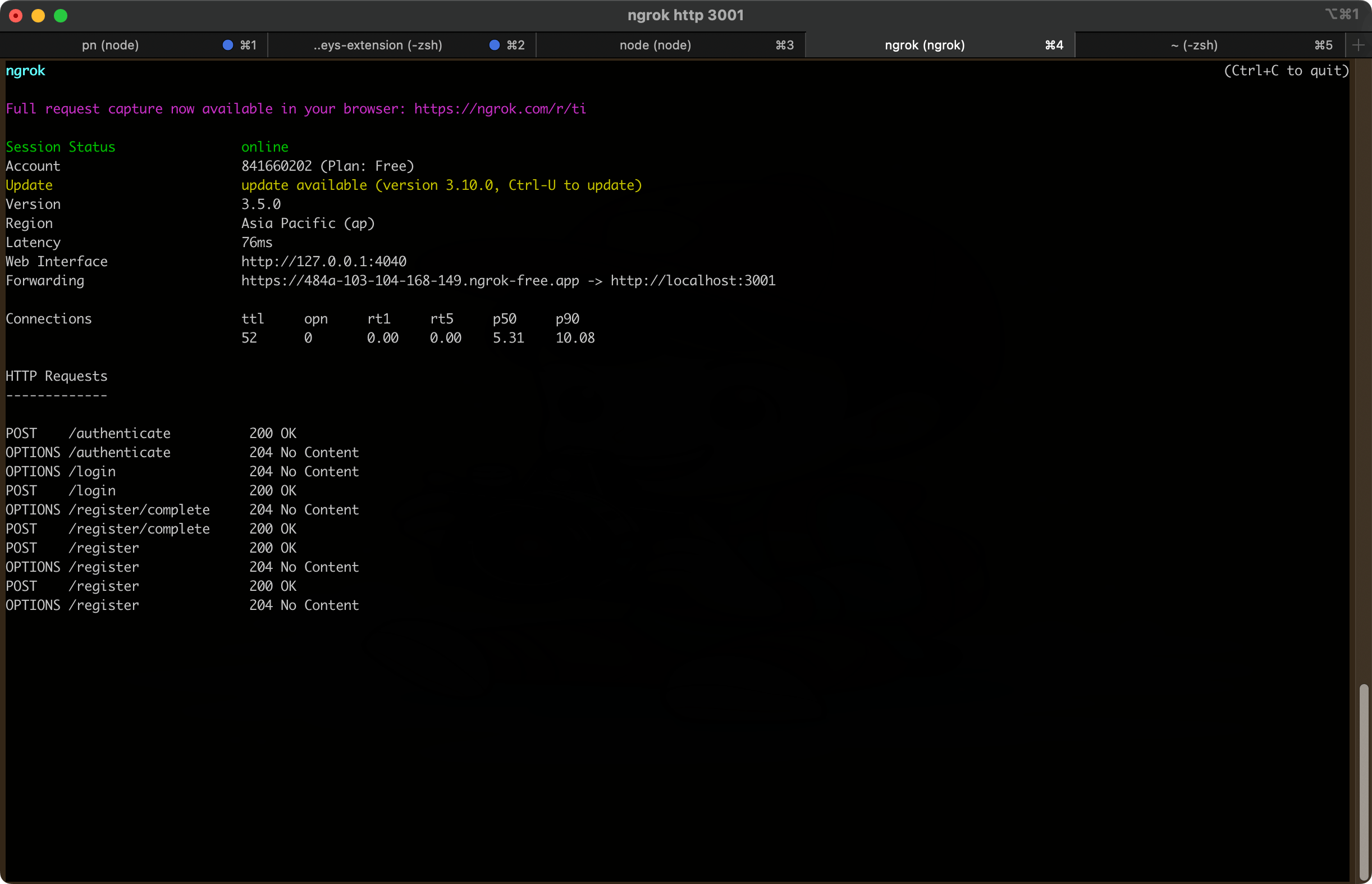
内网穿透(主要想用 https)
npm install -g ngrok
ngrok http 3001