menorepo:pnpm turbo tsup lerna
链接
- https://pnpm.io/workspaces
- https://lerna.js.org/docs/api-reference/commands#--scope-glob
- https://turbo.build/repo/docs/crafting-your-repository/structuring-a-repository
- https://tsup.egoist.dev/#troubleshooting
- https://github.com/egoist/tsup/issues/1146
- https://casperiv.dev/blog/how-to-create-an-npm-package-tsup-esm-cjs-nodejs
创建一个 menorepo
mkdir pnpm-turbo-tsup
cd pnpm-turbo-tsup
pnpm init
pnpm 🌈
# 将 packages 中的 sub mul 安装到 react-web 中
pnpm add sub mul --workspace --filter react-web
# 每个包安装 typescript
pnpm -r add typescript -D

# 给packages下的包安装tsup
pnpm -r --filter '@next-wallet/*' add tsup -D
turbo 🌈
并行任务
tsup🌈
脚本生成配置 tsup.config.ts
#!/bin/bash

# 定义子包目录
packages=("wallet-sss" "wallet-provider" "wallet-iframe")

# tsup 配置内容
tsup_config="import { defineConfig } from 'tsup';
export default defineConfig([
  {
    entry: ['src/index.ts'],
    format: ['esm', 'cjs'],
    dts: true,
    splitting: true,
    sourcemap: true,
    clean: true,
    treeshake: false,
    minify: true,
    external: [],
  },
]);"

# 遍历每个子包目录并创建 tsup.config.ts 文件
for package in "${packages[@]}"; do
  echo "$tsup_config" > "packages/$package/tsup.config.ts"
done

echo "tsup.config.ts 文件已创建在指定子包目录下。"
problem
pnpm install
pnpm dev:tsc  # run tsc
pnpm dev:tsup  # run tsup
pnpm dev:tsc run ok ,pnpm dev:tsup run ok
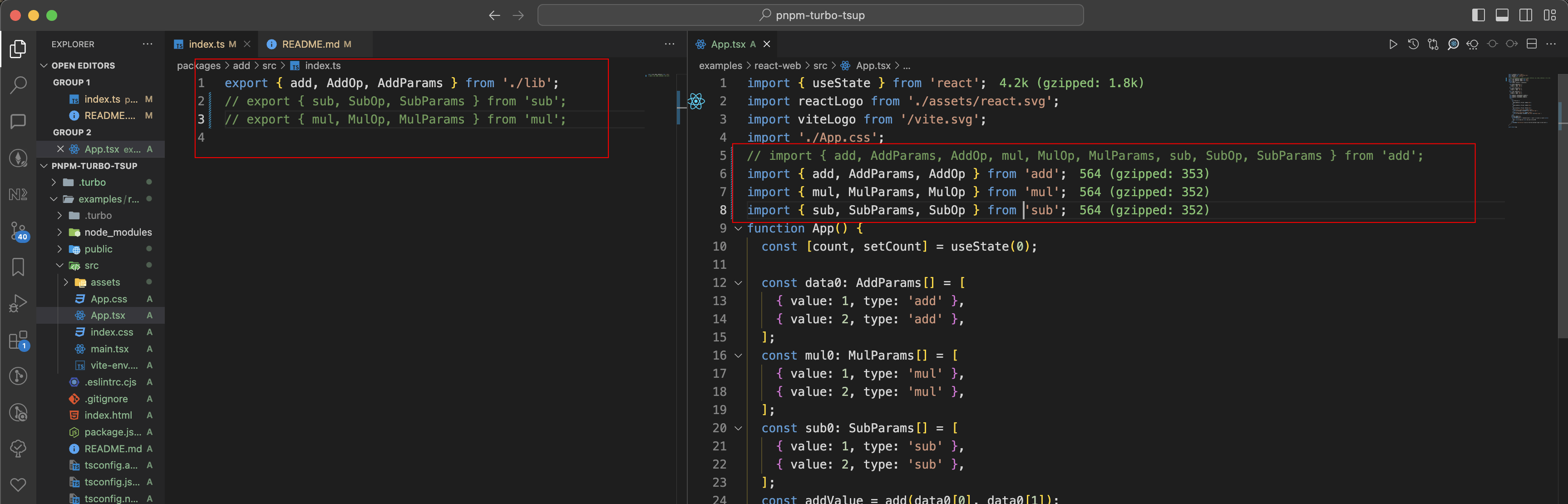
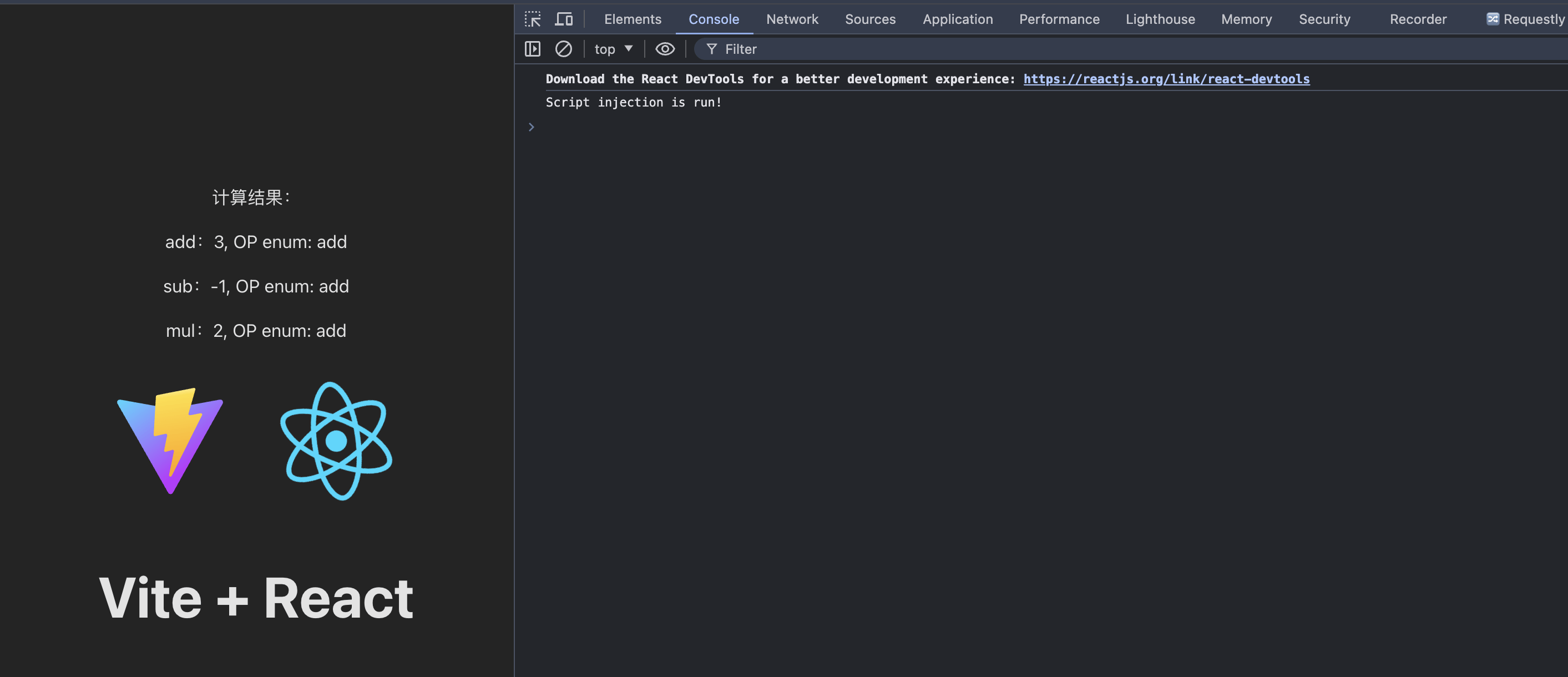
pnpm dev:tsc run ok ,pnpm dev:tsup run error
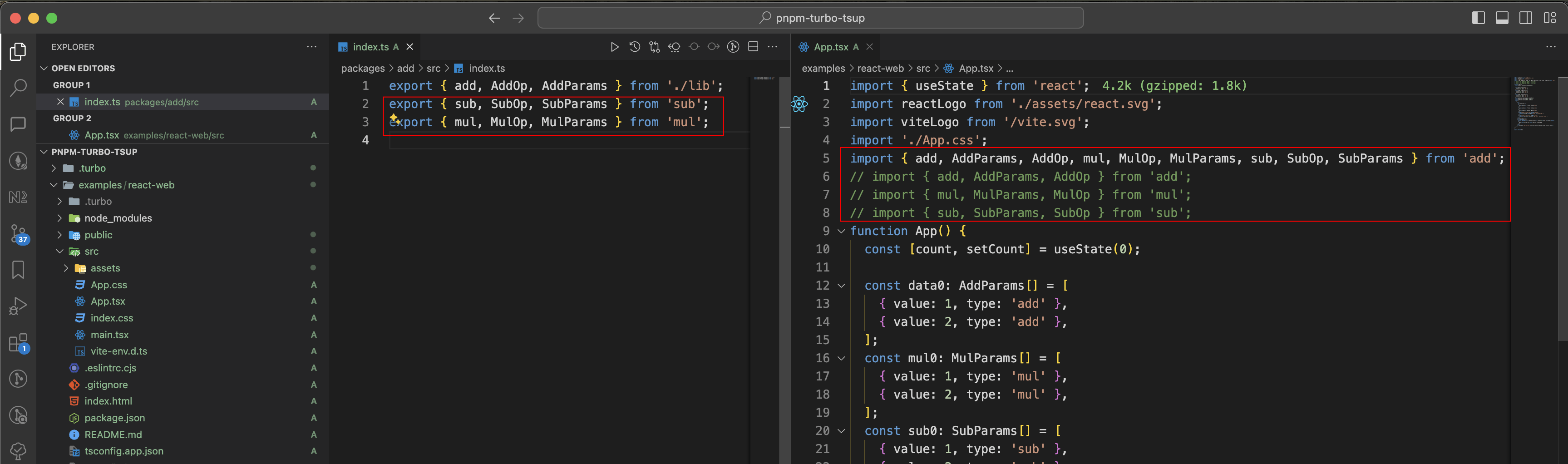
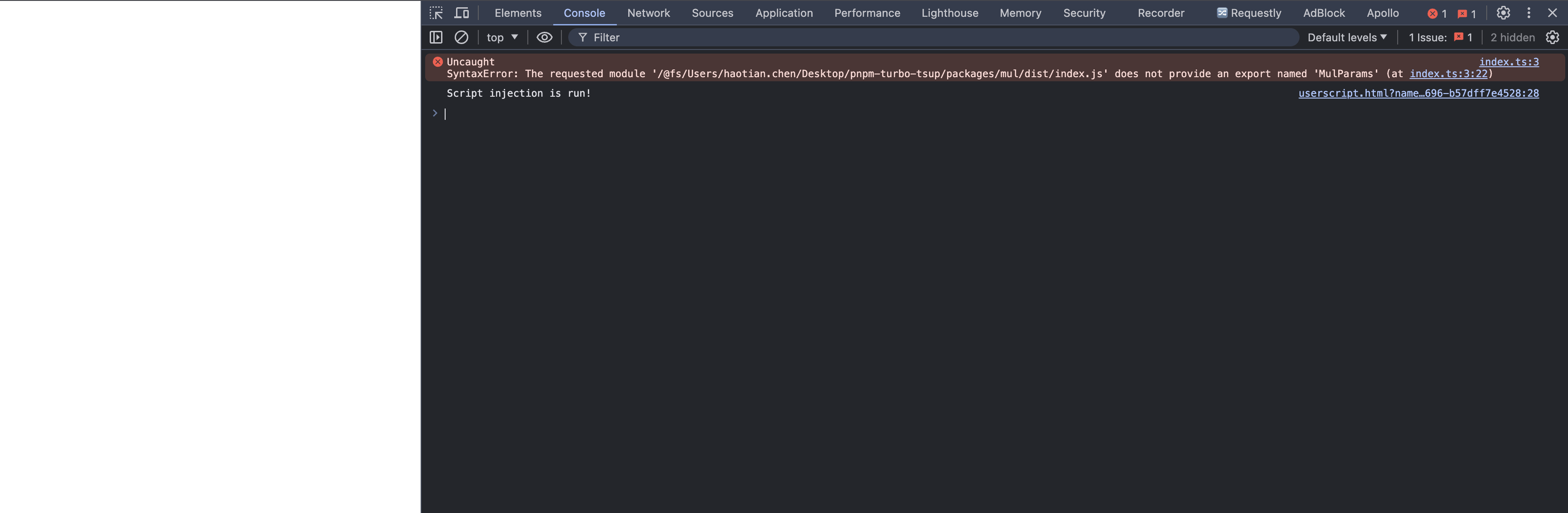
issues & close sell 😓
in menorepo reexport tsup run error, but tsc run ok
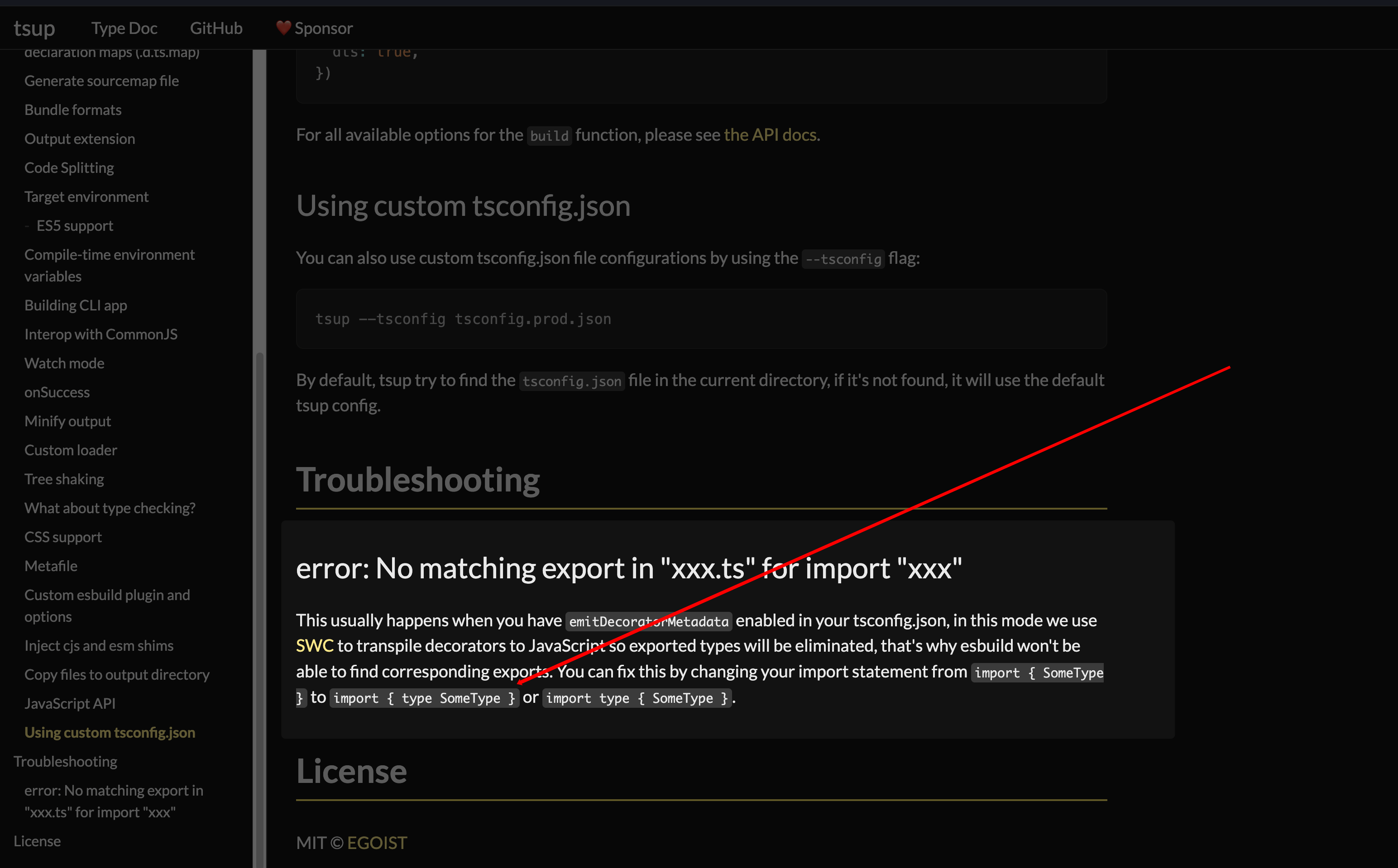
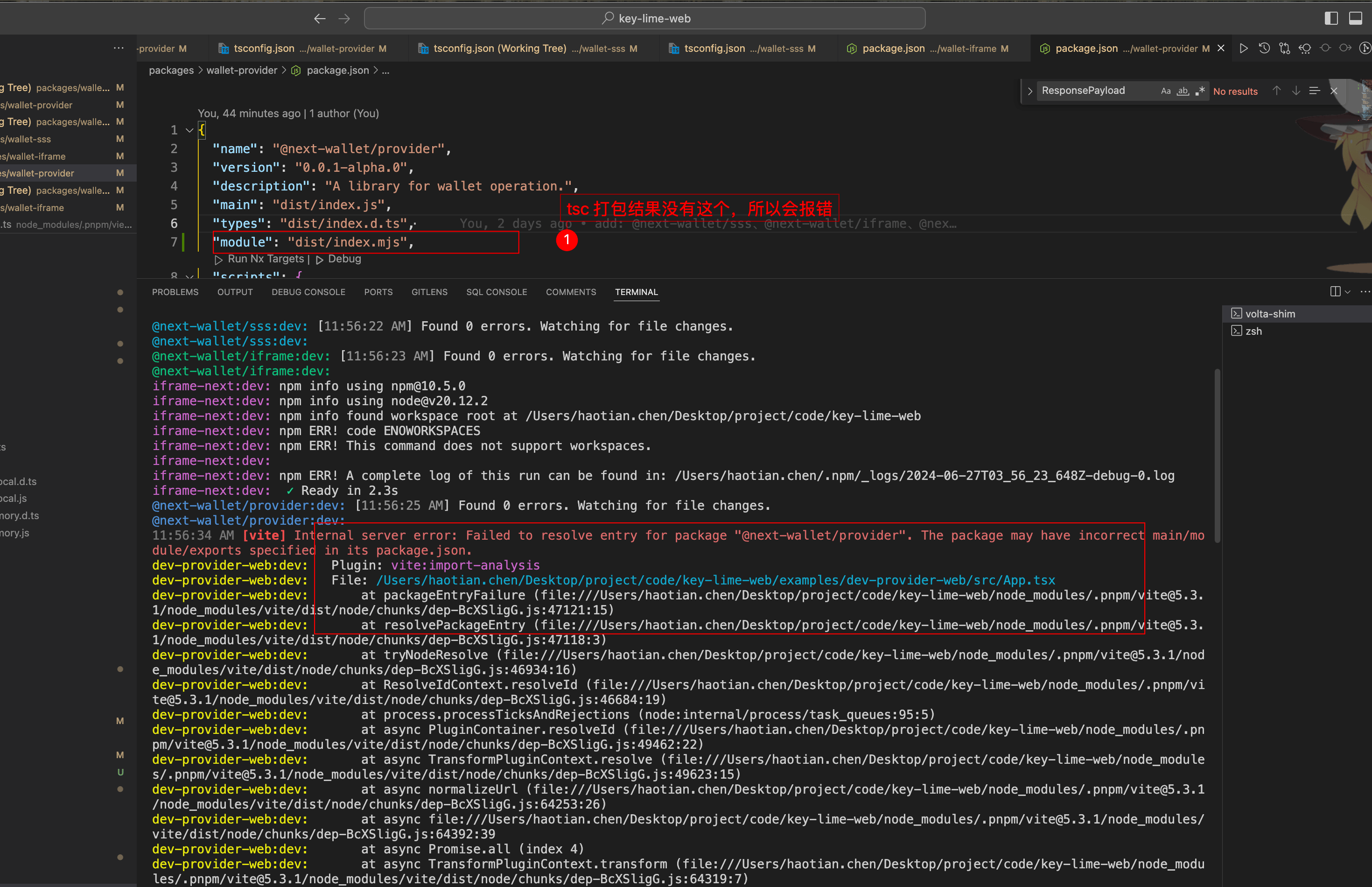
fix issues ⚡️

package.json
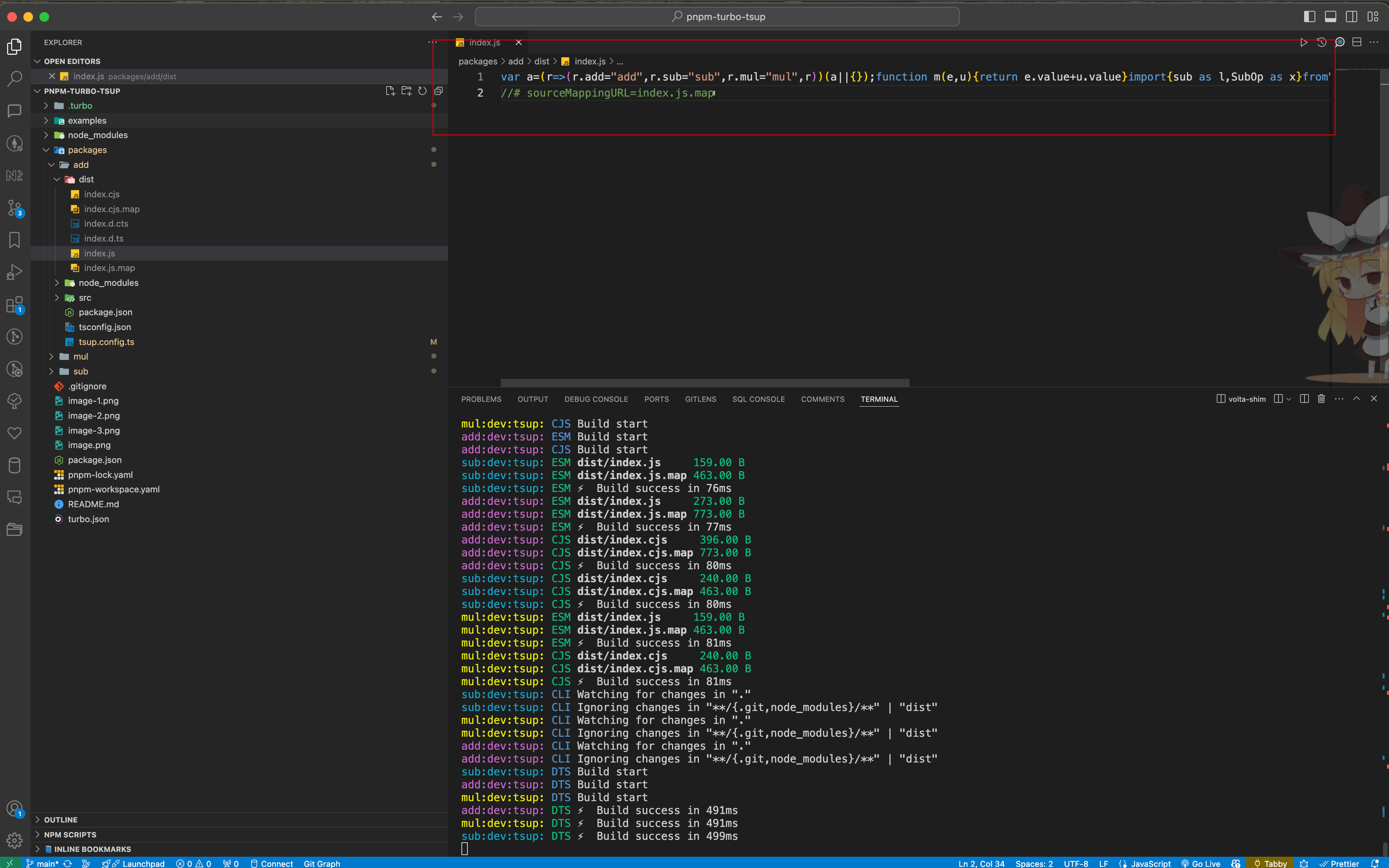
minify
lerna🌈
# alpha版本&发布
npx lerna version prerelease --preid alpha
npx lerna publish from-package --dist-tag alpha

# beta版本 & 发布
npx lerna version prerelease --preid beta
npx lerna publish from-package --dist-tag beta

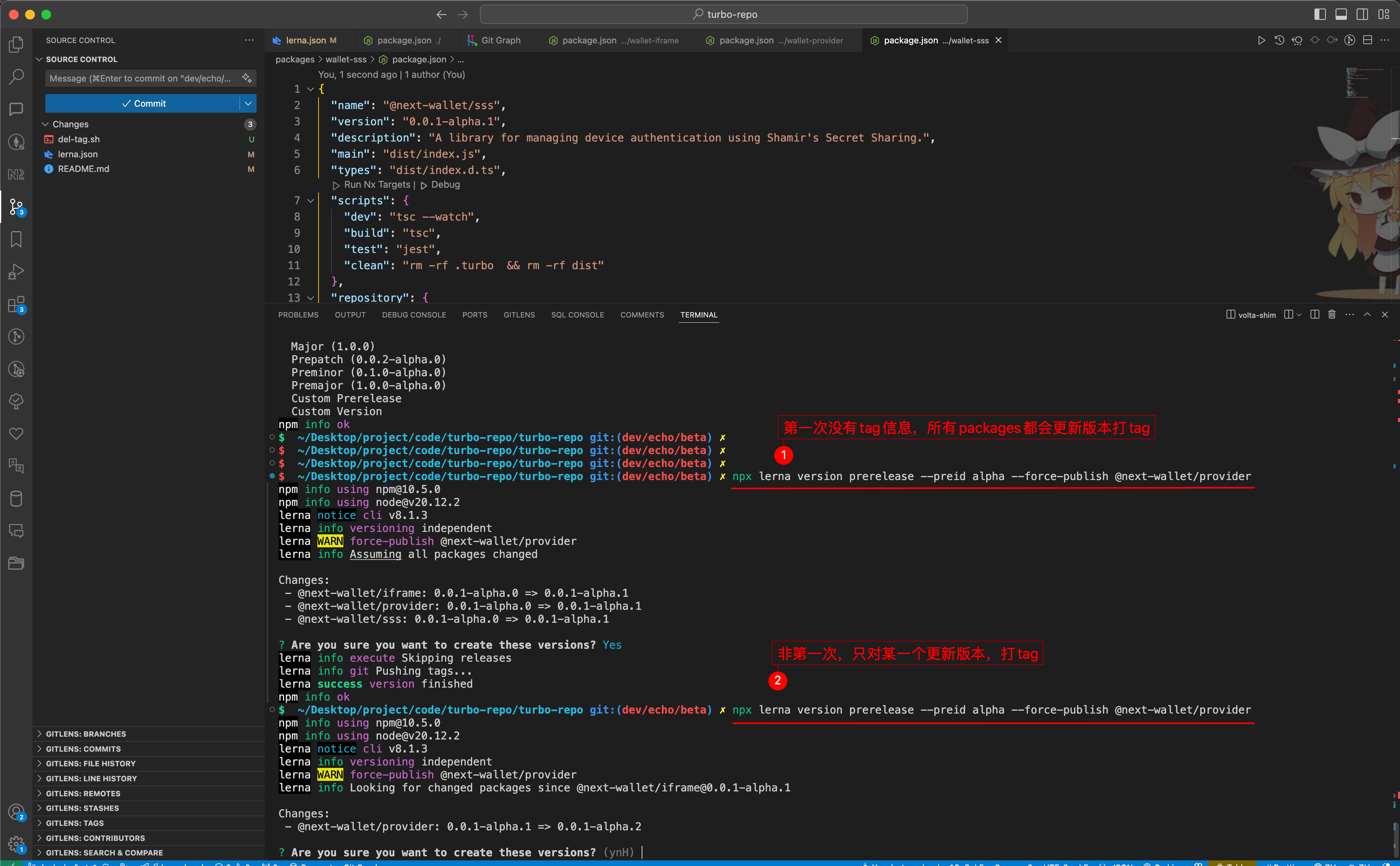
# 非第一次 只发布 @next-wallet/provider, 如果第一次,所有的包都会改版本打tag
npx lerna version prerelease --preid beta --force-publish @next-wallet/provider
npx lerna publish from-package --dist-tag beta


# 强制变更版本发布
npx lerna version --force-publish


# 如果你不希望 Lerna 在每次版本发布时创建 Git 标签,可以使用 --no-git-tag-version 选项,这样你可以手动管理版本号。
npx lerna version prerelease --preid alpha --force-publish @next-wallet/provider --no-git-tag-version


# 切换某个包的版本(这里特指:beta切换alpha,并设置到上一次的alpha版本,不提交tag,不发布),turbo环境执行过程会报错,但不影响最终库的更改
npx lerna exec --scope @next-wallet/provider -- pnpm version 0.0.1-alpha.6 --no-git-tag-version

批量删除 tag
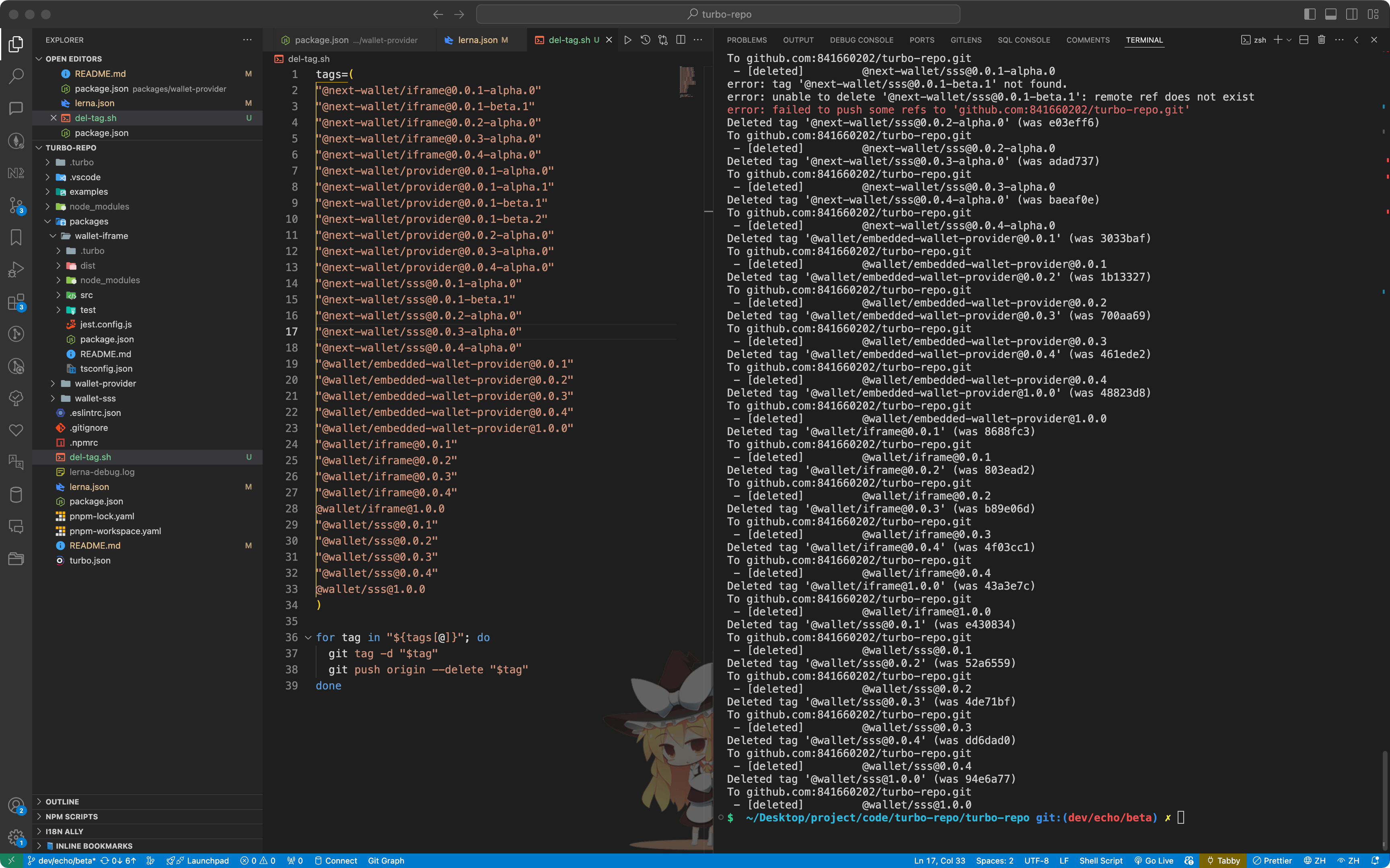
tags=(
"@next-wallet/iframe@0.0.1-alpha.0"
"@next-wallet/iframe@0.0.1-beta.1"
"@next-wallet/iframe@0.0.2-alpha.0"
"@next-wallet/iframe@0.0.3-alpha.0"
"@next-wallet/iframe@0.0.4-alpha.0"
"@next-wallet/provider@0.0.1-alpha.0"
"@next-wallet/provider@0.0.1-alpha.1"
"@next-wallet/provider@0.0.1-beta.1"
"@next-wallet/provider@0.0.1-beta.2"
"@next-wallet/provider@0.0.2-alpha.0"
"@next-wallet/provider@0.0.3-alpha.0"
"@next-wallet/provider@0.0.4-alpha.0"
"@next-wallet/sss@0.0.1-alpha.0"
"@next-wallet/sss@0.0.1-beta.1"
"@next-wallet/sss@0.0.2-alpha.0"
"@next-wallet/sss@0.0.3-alpha.0"
"@next-wallet/sss@0.0.4-alpha.0"
"@wallet/embedded-wallet-provider@0.0.1"
"@wallet/embedded-wallet-provider@0.0.2"
"@wallet/embedded-wallet-provider@0.0.3"
"@wallet/embedded-wallet-provider@0.0.4"
"@wallet/embedded-wallet-provider@1.0.0"
"@wallet/iframe@0.0.1"
"@wallet/iframe@0.0.2"
"@wallet/iframe@0.0.3"
"@wallet/iframe@0.0.4"
@wallet/iframe@1.0.0
"@wallet/sss@0.0.1"
"@wallet/sss@0.0.2"
"@wallet/sss@0.0.3"
"@wallet/sss@0.0.4"
@wallet/sss@1.0.0
)

for tag in "${tags[@]}"; do
  git tag -d "$tag"
  git push origin --delete "$tag"
done
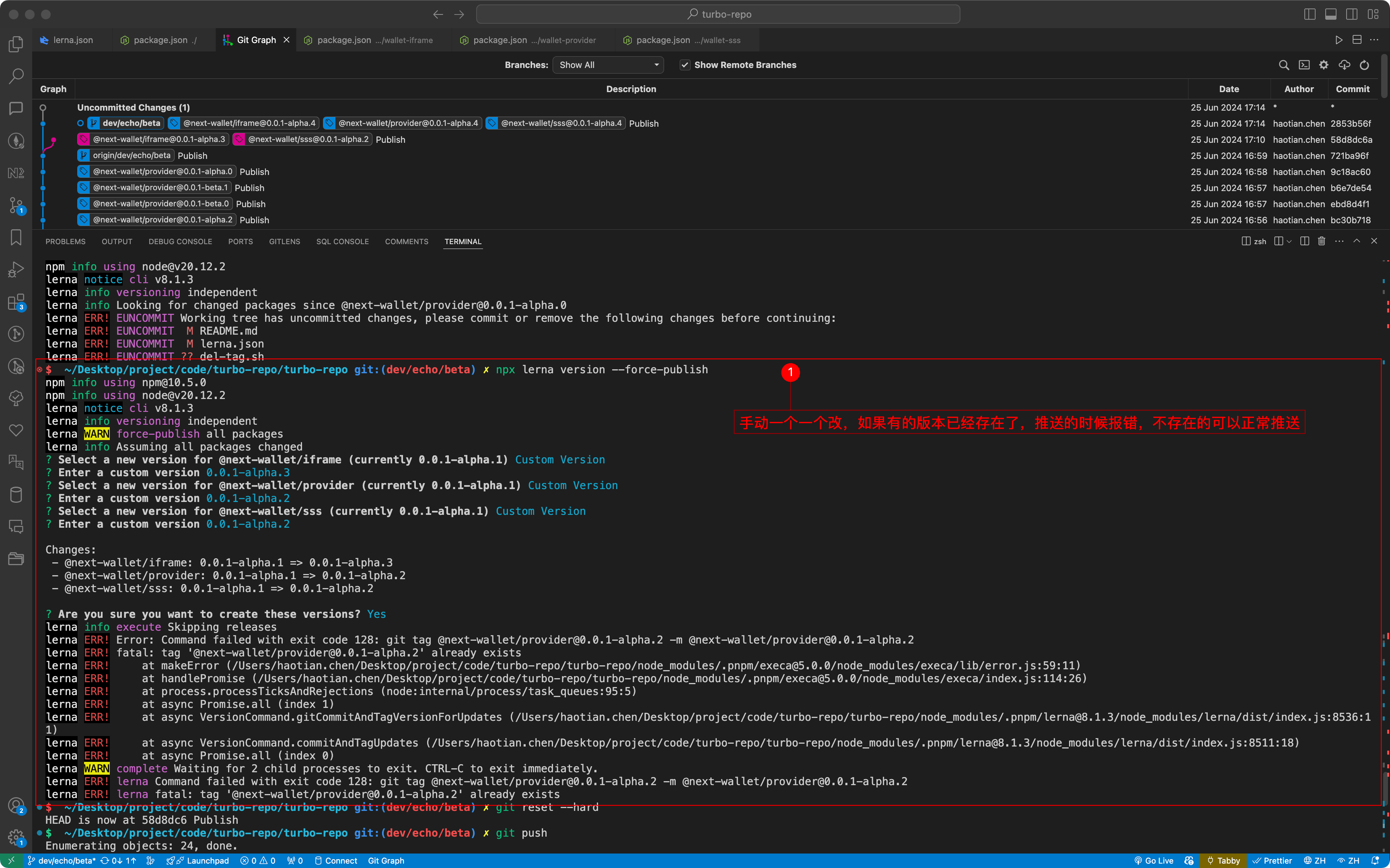
手动-单个版本更改
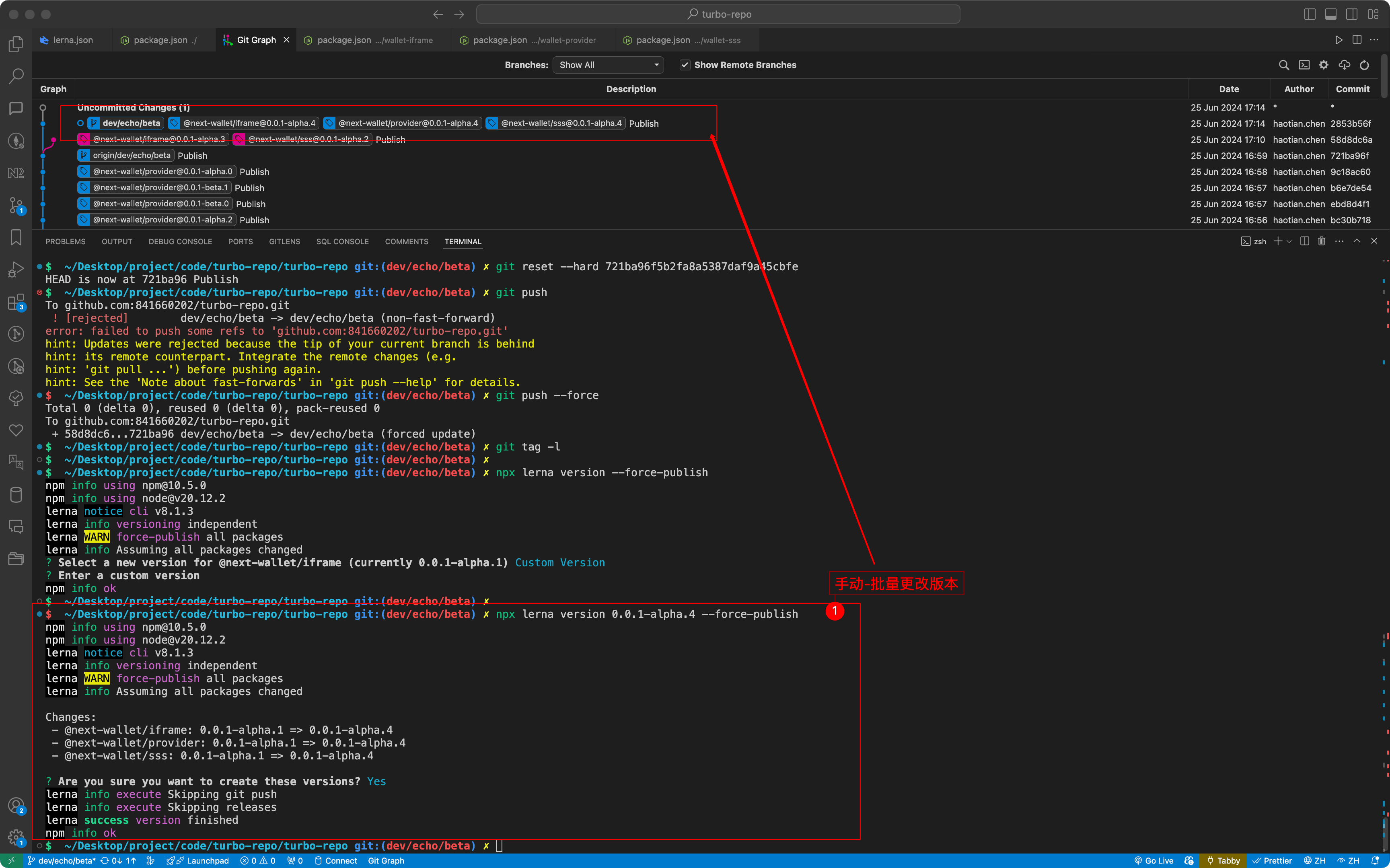
自动-批量版本更改
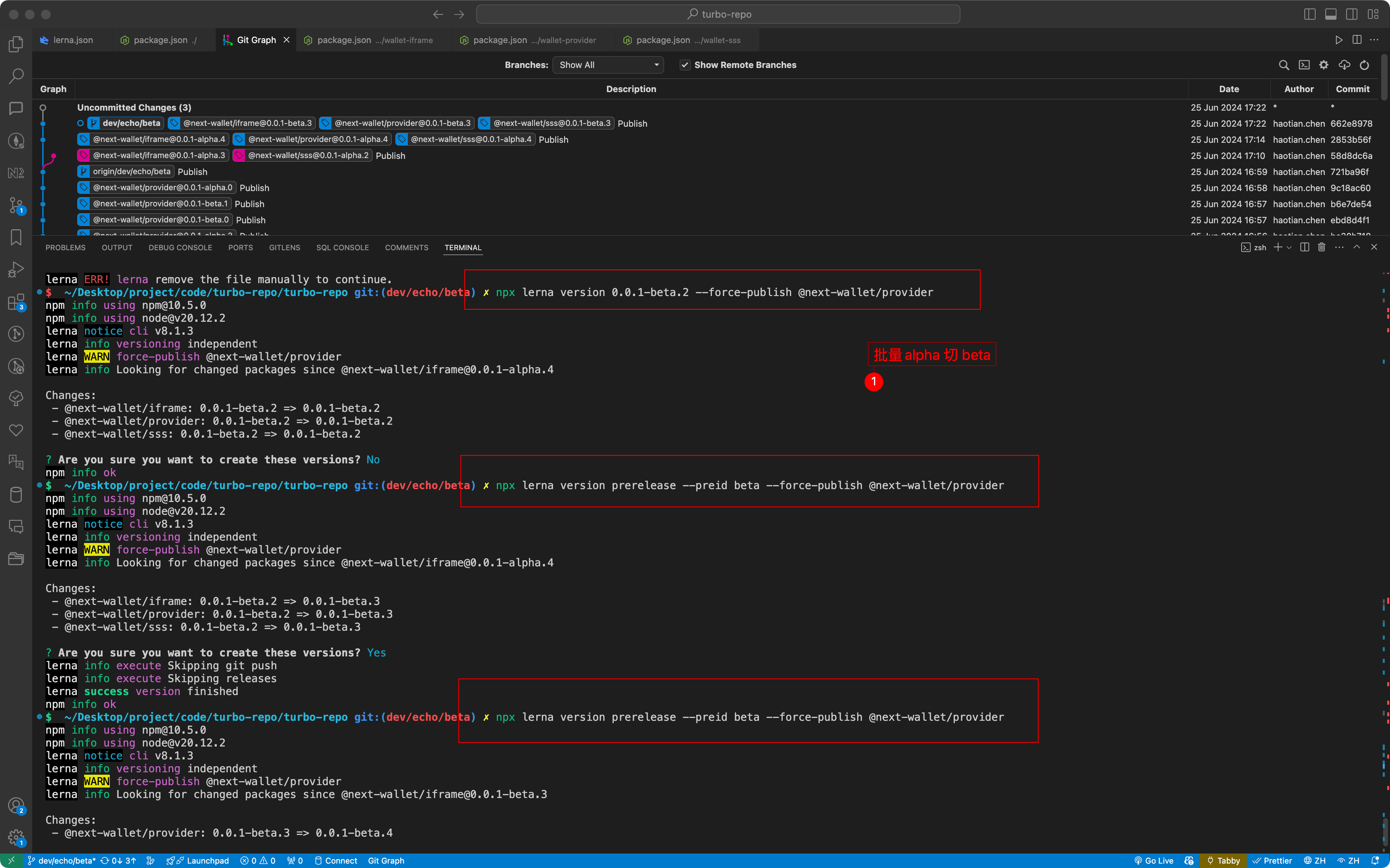
alpha 切 beta 重新计
beta 切 alpha 重新计
nrm🌈 -- NPM registry manager

nrm can help you easy and fast switch between different npm registries,
now include: npm, cnpm, taobao, nj(nodejitsu).
How to configure yarn to use private registry ?
just add .yarnrc in your project’s directory and write there:
registry “http://your.registry”
Or you can configure it in your HOME directory's .yarnrc
Install
$ npm install -g nrm
Example
$ nrm ls

* npm ---------- https://registry.npmjs.org/
  yarn --------- https://registry.yarnpkg.com/
  tencent ------ https://mirrors.cloud.tencent.com/npm/
  cnpm --------- https://r.cnpmjs.org/
  taobao ------- https://registry.npmmirror.com/
  npmMirror ---- https://skimdb.npmjs.com/registry/
$ nrm use cnpm  //switch registry to cnpm

    Registry has been set to: http://r.cnpmjs.org/
Usage
Usage: nrm [options] [command]

  Commands:

    ls                                    List all the registries
    current                               Show current registry name
    use <registry>                        Change registry to registry
    add <registry> <url> [home]           Add one custom registry
    login <registry> [value]              Set authorize information for a registry with a base64 encoded string or username and pasword
      -a  --always-auth                     Set is always auth
      -u  --username <username>             Your user name for this registry
      -p  --password <password>             Your password for this registry
      -e  --email <email>                   Your email for this registry
    set-hosted-repo <registry> <value>    Set hosted npm repository for a custom registry to publish packages
    set-scope <scopeName> <value>         Associating a scope with a registry
    del-scope <scopeName>                 Remove a scope
    set <registryName>                    Set custom registry attribute
      -a  --attr <attr>                    Set custorm registry attribute
      -v  --value <value>                  Set custorm registry value
    del <registry>                        Delete one custom registry
    rename <registryName> <newName>       Set custom registry name
    home <registry> [browser]             Open the homepage of registry with optional browser
    publish [<tarball>|<folder>]          Publish package to current registry if current registry is a custom registry. The field 'repository' of current custom registry is required running this command. If you're not using custom registry, this command will run npm publish directly
      -t  --tag [tag]                        Add tag
      -a  --access <public|restricted>       Set access
      -o  --otp [otpcode]                    Set otpcode
      -dr --dry-run                          Set is dry run
    test [registry]                       Show the response time for one or all registries
    help                                  Print this help

  Options:

    -h  --help     output usage information
    -V  --version  output the version number
Registries
Related Projects
TODO
Notice
When you are using preset registries the publish command will proxy to the npm official registry.
When you are using a custom registry you will need to run the set-hosted-repo to set a url to publish pacakges to your hosted registry.
Maintainer is wanted
If you find nrm is useful and is a experienced node.js developer, then you can help maintain nrm. If you have the interest you can reach me through email: pana.wang@outlook.com
Contributors
LICENSE
MIT