commit 两两合并

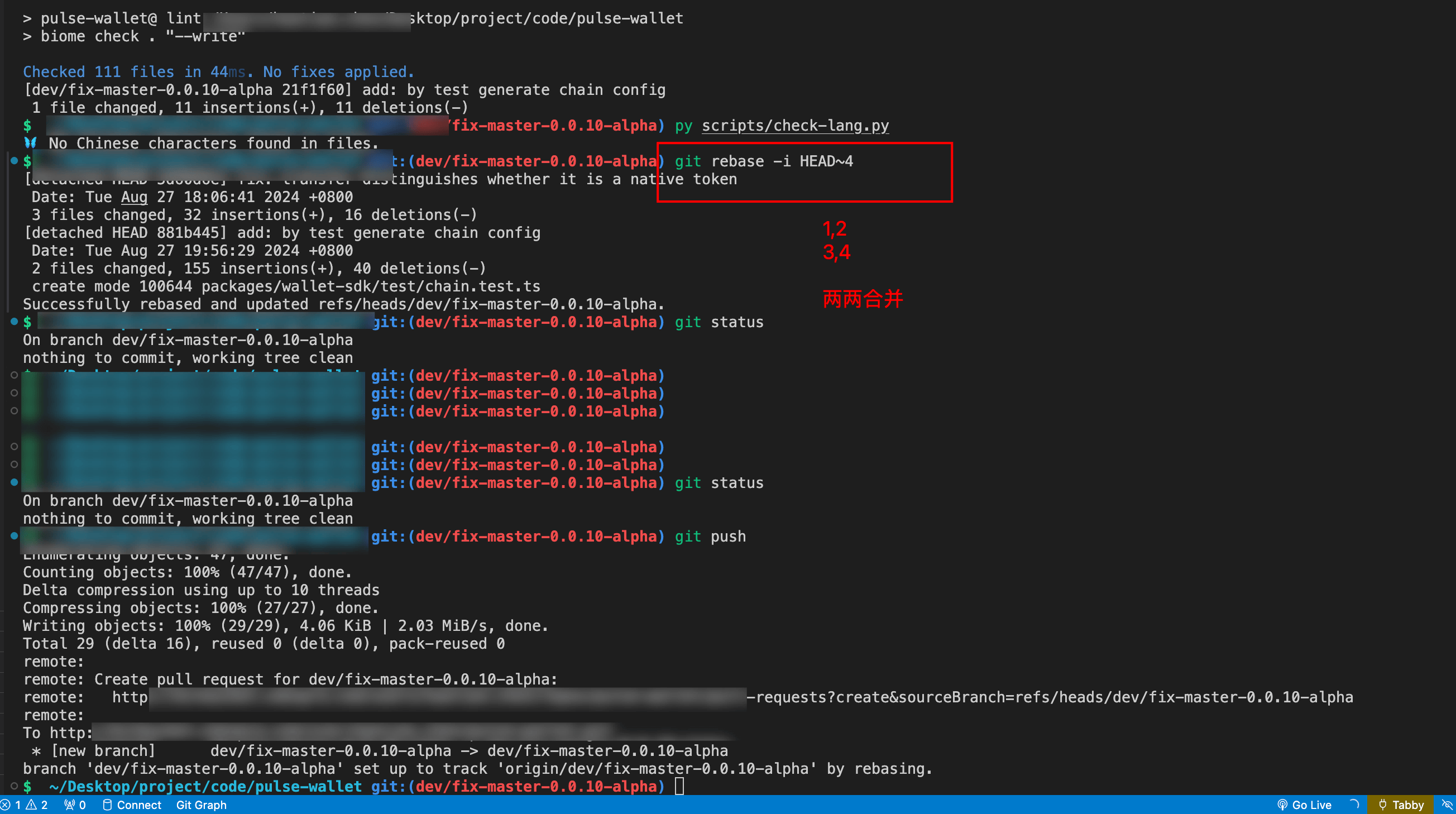
要将这四个提交按照两个两个合并,你可以使用 git rebase -i 命令进行交互式 rebase。以下是详细步骤:
-
首先,确保你在正确的分支上:
git checkout dev/fix-master-0.0.10-alpha -
使用交互式 rebase 命令:
git rebase -i HEAD~4这将打开一个文本编辑器,显示最近的四个提交。你会看到类似以下的内容:
pick <commit-hash-1> fix: transfer distinguishes whether it is a native token
pick <commit-hash-2> fix: transfer distinguishes whether it is a native token
pick <commit-hash-3> add: by test generate chain config
pick <commit-hash-4> add: by test generate chain config -
将第二个和第四个提交前的
pick改为squash或fixup,如下所示:pick <commit-hash-1> fix: transfer distinguishes whether it is a native token
squash <commit-hash-2> fix: transfer distinguishes whether it is a native token
pick <commit-hash-3> add: by test generate chain config
squash <commit-hash-4> add: by test generate chain config选择
squash会合并两个提交的消息,选择fixup会丢弃第二个和第四个提交的消息。 -
保存并关闭编辑器。Git 将会开始 rebase 过程,并提示你编辑合并后的提交消息(如果选择了
squash)。 -
编辑合并后的提交消息,保存并关闭编辑器。
完成这些步骤后,你的提交历史将变成两个合并后的提交。
如果你有任何问题或需要进一步的帮助,请告诉我。